Why Is My Thermal Camera Refresh Rate Stuttering in Extreme Cold?
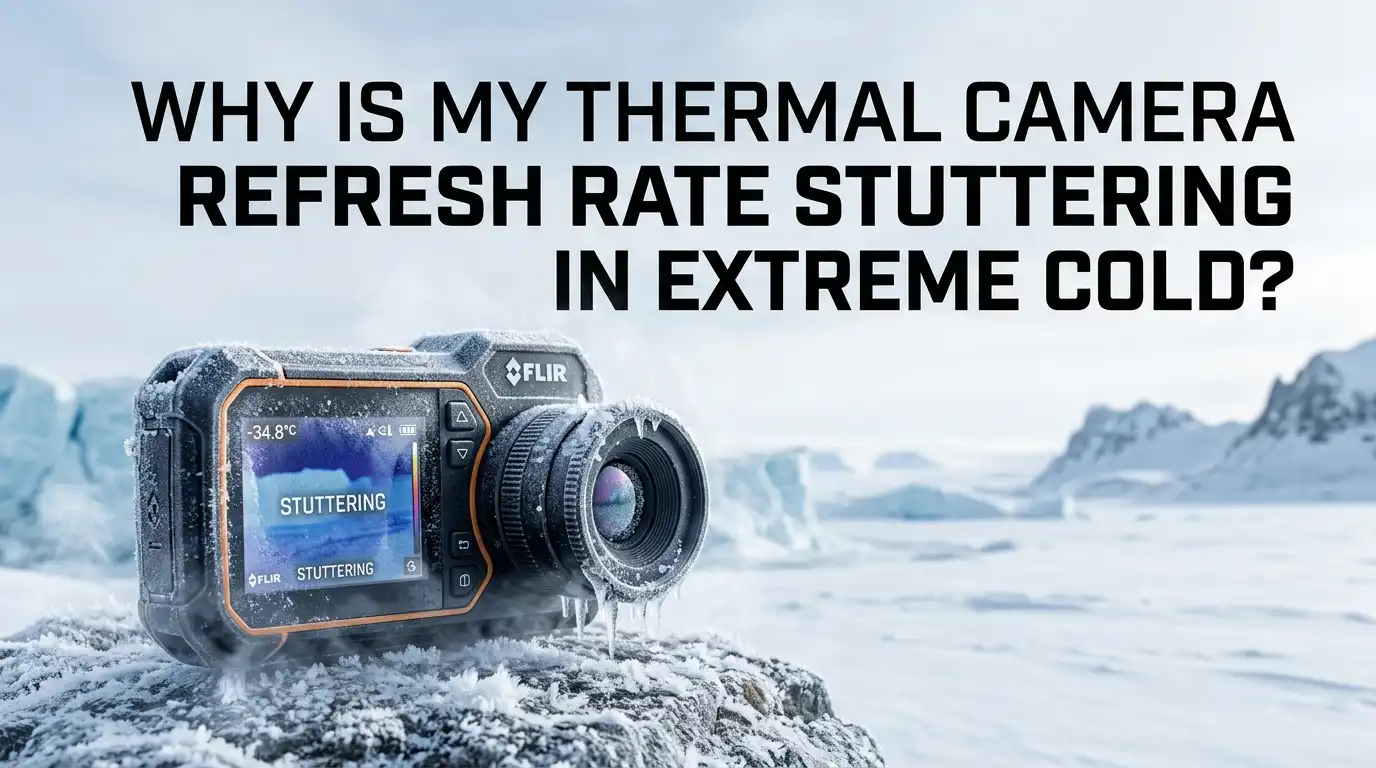
Your thermal camera felt smooth and sharp indoors. Then you stepped outside into freezing air, and the image started to lag, freeze, and jump. The refresh rate suddenly feels choppy. This is a common and frustrating problem for hunters, inspectors, and outdoor users.
The good news is simple. Cold related stutter is almost always fixable. It usually comes from battery drain, sensor calibration cycles, condensation, or firmware behavior.
Most fixes take only a few minutes. Once you understand the cause, you can stop the stutter and keep a steady image even in harsh winter conditions.
Key Takeaways
- Cold drains batteries fast. Lithium cells lose voltage and capacity in freezing air, and low voltage forces the camera to throttle its frame rate. Keeping batteries warm is the single biggest fix.
- Sensor calibration causes pauses. Your camera runs a shutter based correction called FFC or NUC. In rapid temperature swings, it triggers more often, which looks like freezing or clicking.
- Condensation and frost blur the image. Moving from warm to cold creates fogging on the lens and internal optics. This is not stutter, but it mimics poor performance.
- Firmware and frame rate settings matter. Some cameras lower their refresh rate to save power when they sense low battery or extreme temperature.
- Warm up time is real. Microbolometer sensors need time to reach a stable working temperature. Rushing this step gives you a jumpy first few minutes.
- Simple habits prevent most problems. Warm storage, slow acclimation, full batteries, and updated firmware solve the majority of cold weather stutter issues.
What Refresh Rate Means on a Thermal Camera
Refresh rate is the number of times your camera updates the image each second. It is measured in hertz, or Hz. A 60Hz camera updates 60 times per second. A 9Hz camera updates only 9 times.
Higher rates give you smooth motion. Lower rates look choppy, especially when you pan across a scene. When your camera stutters, the effective refresh rate has dropped, even if the spec sheet still says 60Hz.
In the cold, the hardware cannot always keep up with its rated speed. Voltage drops, processing pauses, and calibration cycles all interrupt the smooth flow of frames. Knowing this helps you tell the difference between a hardware limit and a real fault. Most cold stutter is temporary and tied to conditions, not damage.
How Extreme Cold Affects Thermal Sensors
Your thermal camera uses a microbolometer. This is a tiny grid of heat sensitive pixels. Each pixel reacts to small changes in infrared energy. The sensor works best when its own temperature stays stable.
In extreme cold, the sensor and its electronics behave differently. The camera tries to hold the sensor at a steady internal temperature, often around 32 degrees Celsius. When outside air is far colder, the camera works harder to maintain that balance.
This extra effort can slow processing. The camera may pause to recalibrate or rebalance the sensor readings. That pause shows up as stutter. The colder the air, the more often these corrections happen. Some sensors also read weaker signals when the scene itself is very cold, which adds noise and makes the processor work harder to clean the image.
The Battery Problem: Why Cold Kills Power First
This is the most common cause of cold weather stutter. Lithium batteries lose performance fast in freezing temperatures. The chemistry inside slows down, so the battery cannot deliver power smoothly.
In the cold, voltage drops under load. When the camera demands a burst of power to process frames, the battery sags. The camera senses low voltage and throttles itself to survive. This throttling lowers your refresh rate and creates stutter.
You may also see sudden low battery warnings or shutdowns, even with a battery that read full minutes ago.
Pros of fixing the battery first: it is the cheapest fix, it is fast, and it solves most cases.
Cons: you may need spare batteries, and you must keep them warm, which takes effort and planning in the field.
How to Keep Your Battery Warm in Freezing Conditions
Warm batteries are the fastest way to stop cold stutter. A battery near body temperature delivers steady voltage and full capacity. Here is how to do it.
First, keep spare batteries in an inside jacket pocket, close to your body. Your body heat keeps them in their happy range. Swap a warm battery in when the cold one starts to fade.
Second, use a small chemical hand warmer next to the battery compartment. Tape it loosely so it does not overheat the device. Third, store the whole camera inside your coat between uses.
Pros: simple, low cost, and very effective. Most users see stutter disappear right away.
Cons: you must carry spares, manage swaps, and avoid overheating the battery. Hand warmers also add bulk. Still, these small steps usually fix the problem completely.
Understanding FFC and NUC Calibration Pauses
Your camera runs an automatic correction to keep the image clean. It is called Flat Field Correction, or FFC, and Non Uniformity Correction, or NUC. A small shutter flips in front of the sensor to reset the baseline.
You hear it as a click, and you see the image freeze for a fraction of a second. This is normal. The problem in the cold is that calibration happens more often. The interval depends on time and on how fast the sensor temperature changes.
In freezing air, the sensor temperature shifts quickly. The camera responds by running FFC more frequently. Each click pauses the live image and feels like stutter. This is the camera protecting image quality, not a defect. Once the sensor settles at a stable temperature, the clicks slow down and the image smooths out again.
How to Reduce Calibration Stutter
You cannot turn off calibration completely, and you should not want to. But you can reduce how often it interrupts you. The main trick is to give the sensor a stable temperature.
Let the camera reach the outdoor temperature slowly before heavy use. A stable sensor triggers fewer corrections. Avoid moving repeatedly between warm and cold spaces, since each swing forces a new calibration.
Some cameras let you switch FFC from automatic to manual. In manual mode, you choose when to calibrate, so it will not freeze the image during an important moment.
Pros: manual mode gives you control, and stable acclimation cuts frequent clicks.
Cons: manual mode means you must remember to calibrate yourself, and a missed calibration leaves visible noise or ghosting in the image. Balance is key here.
Condensation and Frost: The Hidden Image Killers
Sometimes the stutter is not stutter at all. It is a foggy or frosted lens. Moving a cold camera into warm air, or breathing near the lens, creates condensation. The image goes soft, smears, and seems to lag.
Frost can also form on the lens in very cold, damp air. Both block the infrared energy the sensor needs to build a clear frame. The result looks like poor performance even when the hardware works fine.
The fix is patience and dry air. Let the camera acclimate slowly inside a sealed bag when moving between temperatures.
Pros of managing condensation: it is free and prevents both blur and internal moisture damage.
Cons: it takes time, and you cannot rush it. Wiping a fogged lens repeatedly only smears the moisture and can scratch coatings. Prevention beats cleaning every time.
Step by Step: Acclimating Your Camera the Right Way
Slow temperature change protects your camera and your image. Sudden swings cause condensation, frost, and rapid calibration cycles. Follow these steps to acclimate correctly.
First, before going outside, seal the camera in a zip top bag and push out the air. Condensation will form on the bag, not on your lens. Second, place the bagged camera outside or in a cold porch for fifteen to twenty minutes.
Third, remove it from the bag only once it matches the outdoor temperature. Do the reverse when coming back indoors. Let it warm slowly inside the sealed bag before opening.
Pros: this method stops fogging, protects internal optics, and reduces calibration stutter.
Cons: it requires planning and patience. You cannot grab the camera and shoot instantly. The wait pays off with a clean, steady image.
Why Warm Up Time Still Matters
Even with warm batteries, your camera needs time to settle. Microbolometer sensors give a rough image in the first seconds and a stable one only after warming up. You can see a picture about twenty seconds after power on.
For the steadiest image, many cameras want several minutes to reach a stable internal temperature. In extreme cold, this warm up takes longer. During this period, calibration runs often and the refresh feels uneven.
Turn the camera on a few minutes before you actually need it. Let it run while you prepare. By the time you aim it, the sensor has stabilized and the stutter is gone.
Pros: a simple habit that costs nothing and improves every session.
Cons: it uses some battery during warm up, and it requires you to plan ahead. The trade is well worth a smooth, reliable image.
Checking Firmware and Frame Rate Settings
Software can cause cold stutter too. Some cameras lower their refresh rate automatically to save power when they detect low voltage or extreme temperature. This is a built in protection, not a fault.
Open your camera menu and check the frame rate setting. Make sure it is set to the highest rate your model supports. Some devices ship in a power saving mode that caps the rate.
Next, update your firmware. Manufacturers often release updates that improve cold weather power handling and calibration timing.
Pros: a firmware update is free, and it can fix throttling bugs across the whole device.
Cons: updates can occasionally introduce new issues, and they require a computer or app. Always read the release notes before updating. Keep a record of your current version so you can roll back if needed.
When to Suspect a Hardware Fault
Most cold stutter is normal and temporary. But sometimes the problem points to real damage. You should suspect a fault when stutter continues even after the camera is warm, charged, and stable.
Watch for these signs. The image freezes for long periods, not brief calibration clicks. Dead pixels appear and stay. The camera shuts off randomly even with a warm, full battery. Cracks, loose parts, or internal moisture also signal trouble.
If you see these, stop using the camera in the cold and let it dry fully indoors. Then test it at room temperature.
Pros of early diagnosis: you catch warranty issues before they grow worse.
Cons: repairs cost money and time, and shipping a camera for service leaves you without it. Still, ignoring a real fault risks permanent sensor damage. Contact your manufacturer when normal fixes fail.
Best Practices for Using Thermal Cameras in Winter
A few simple habits prevent almost all cold weather stutter. Build these into your routine and your camera will perform well all winter.
Always start with fully charged, warm batteries, and carry warm spares. Power the camera on a few minutes early to let the sensor stabilize. Use a sealed bag when moving between warm and cold spaces.
Keep the camera under your coat between uses. Update your firmware before the season starts. Set your frame rate to the maximum your model allows.
Finally, avoid breathing on the lens and wipe it only with a proper microfiber cloth.
Pros: these habits are free, easy, and reliable. Together they solve nearly every cold related issue.
Cons: they take discipline and a little extra time. The reward is a smooth, dependable image in even the harshest winter conditions.
Frequently Asked Questions
Why does my thermal camera click and freeze in the cold?
That clicking is the calibration shutter running an FFC or NUC cycle. In the cold, the sensor temperature shifts fast, so the camera calibrates more often. Each cycle briefly freezes the image. Letting the sensor stabilize reduces how often this happens.
Will cold weather permanently damage my thermal camera?
Brief use in the cold rarely causes lasting harm if you avoid condensation and moisture. Most cameras tolerate cold within their rated range. Damage usually comes from internal moisture or extreme temperatures far below the operating limit. Always check your model’s rated minimum temperature.
How cold is too cold for a thermal camera?
It depends on the model. Many consumer cameras rate down to around minus 10 or minus 20 degrees Celsius. Specialized systems work far colder. Check your manual for the exact operating range, and remember that the battery often fails before the sensor does.
Can I run my thermal camera straight from a warm pocket?
Yes, and a warm start often gives the smoothest image. Just acclimate the lens slowly to avoid condensation when temperatures swing sharply. A warm battery delivers steady power, which helps prevent stutter from the very first frame.
Does a higher refresh rate camera stutter less in the cold?
Not automatically. A higher rated camera still throttles if the battery sags or the sensor needs calibration. The same cold weather habits apply. Warm batteries, slow acclimation, and updated firmware matter more than the rated number on the box.
How long should I let my camera warm up in winter?
Power it on a few minutes before you need it. You get an image in about twenty seconds, but a stable, smooth one takes several minutes in cold air. Plan ahead and let it run while you prepare for the best results.

Hi, I’m Frankie Shaw, the founder and writer behind Swittchly 👋. I’m a passionate tech enthusiast who loves exploring the latest gadgets, devices, and electronics that hit the market. Through my honest, research-backed Amazon product reviews, I help readers make smarter buying decisions without the hype or confusion.