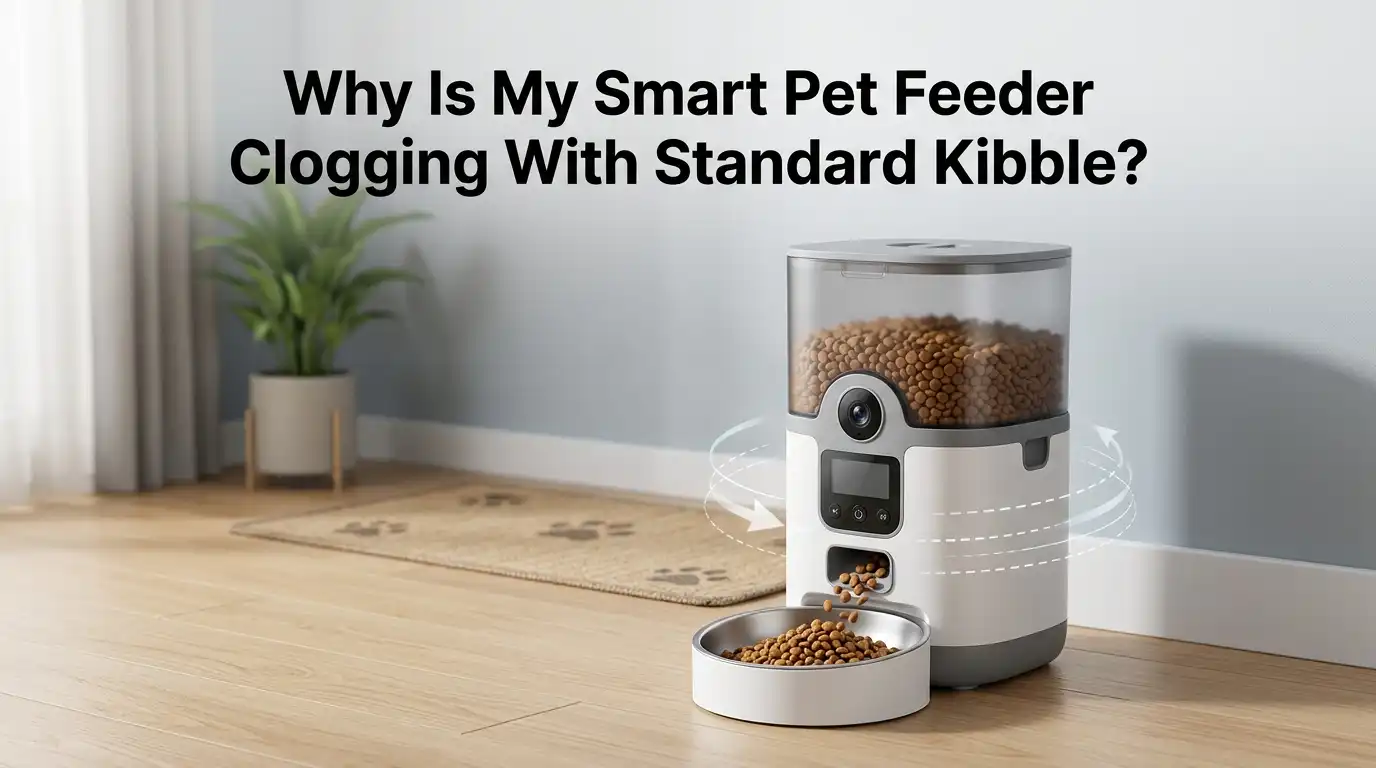
Why Is My Smart Pet Feeder Clogging With Standard Kibble?
Your smart pet feeder promised peace of mind. Instead, you keep finding your dog or cat sitting next to an empty bowl while the hopper sits full of food.
The motor whirs, the app says the meal was delivered, but nothing dropped. Sound familiar? Clogging is the single most common complaint among automatic feeder owners, and it almost always comes down to a small group of fixable causes.
The good news is that most jams have nothing to do with a broken machine. They come from kibble shape, moisture creeping inside the hopper, mechanical pressure, or simple neglect during cleaning.
Key Takeaways
- Kibble size matters more than brand. Most smart feeders are built to dispense kibble between 2mm and 15mm. Anything larger, oddly shaped, or with sharp edges will jam the auger or rotor.
- Humidity is the silent killer. Moisture turns kibble into a sticky paste that glues itself to the inside of the hopper. A simple food grade desiccant pack solves 80% of these cases.
- Bridging is a physics problem. When kibble pieces lock together over the dispensing hole, no food drops through. Lightly tapping the hopper or reducing the fill level often fixes it instantly.
- Cleaning is not optional. Oils from kibble coat the inside of the feeder. After two or three weeks, that oily film traps dust and food crumbs, creating blockages.
- Mixing freeze dried toppers or wet food into a dry kibble hopper is the fastest way to ruin a feeder. Always keep the hopper dedicated to dry food only.
- Hopper overfilling adds gravitational pressure that the motor cannot push past. Filling the hopper only halfway often stops jams overnight.
Your Kibble Size Does Not Match the Feeder
Most automatic feeders are engineered for kibble between 2mm and 15mm in diameter. Larger breed formulas often have pieces that measure 18mm to 22mm. Those pieces simply cannot fit through the dispensing slot.
Check the kibble against your feeder’s manual. If the pieces are too big, the rotor will spin, but only crumbs will fall. The motor will sound healthy while the bowl stays empty.
Pros of switching to smaller kibble: instant fix, no equipment changes, easy to source from any pet store.
Cons: your pet may need a transition period, and very small kibble can dispense too quickly, leading to overfeeding.
A safe step by step approach is to mix the new smaller kibble with the old one for seven days, increasing the ratio daily. This protects your pet’s digestion while solving the clog.
Irregular Kibble Shapes Cause Mechanical Jams
Even if your kibble is the right size, shape matters just as much. Triangular, X shaped, or star shaped pieces can lock together inside the hopper and refuse to drop. Round or oval pieces flow far better through narrow channels.
Look at the kibble pile. If the pieces have sharp corners or hollow centers, they are interlocking like puzzle pieces. This creates what engineers call a stable arch above the dispensing hole.
The fix is straightforward. Switch to a brand with rounded, uniform shapes. Many premium pet food companies now list kibble dimensions on their packaging for exactly this reason.
Pros of uniform round kibble: smooth, predictable dispensing and fewer motor strain alerts.
Cons: fewer flavor options in some pet food categories, and slightly higher cost.
The Kibble Bridge Effect Inside the Hopper
The kibble bridge effect is the most common cause of feeder jams. Pieces of food settle in a way that forms a small dome above the dispensing hole. The dome holds itself up, and no food falls. The motor turns, but the channel below stays empty.
This happens because the hopper walls are usually steep but smooth, and kibble grips itself better than it grips plastic. The bridge looks like a tiny arch, almost like a stone bridge.
To fix it, gently tap the side of the hopper with your palm. The vibration collapses the arch. For a permanent fix, fill the hopper only halfway. Less weight above means weaker bridges form.
Pros of half filling: dramatically fewer clogs and fresher food.
Cons: you must refill more often, which reduces some of the convenience of an automatic feeder.
Humidity Glues Kibble Together
Humidity is the hidden enemy of every smart feeder. Kibble is coated in fats and oils that absorb moisture from the air. Once that happens, pieces stick to each other and to the hopper walls. The result is a sticky paste that no motor can push through.
This is especially common in kitchens, bathrooms, laundry rooms, or any spot near a window. In humid climates, a hopper can turn sticky within just three or four days.
The fix is a food safe silica gel desiccant pack placed inside the hopper. Replace it every two weeks, or weekly during summer months.
Pros of desiccant packs: cheap, effective, and they also keep food tasting fresh.
Cons: they must be replaced regularly, and pets must never have access to chew them.
Your Feeder Is Placed in the Wrong Spot
Location plays a huge role. A feeder sitting next to a dishwasher, stove, sink, or pet water fountain is constantly exposed to steam and splashes. The hopper seal is rarely waterproof enough to block all that moisture.
Direct sunlight is another problem. Heat softens kibble oils, which then coat the inside of the dispensing tube and trap dust. Within weeks, the channel narrows enough to cause jams.
Move the feeder to a cool, dry, shaded spot, at least three feet away from any water source. Keep it off the floor if possible, since floor level air carries more humidity and dust.
Pros of repositioning: zero cost and immediate improvement.
Cons: you may need to rearrange furniture or buy a small stand to elevate the unit.
The Hopper Is Overfilled
It feels logical to fill the hopper to the top. More food means fewer refills. But overfilling is one of the top causes of clogging. The weight of all that kibble pressing down on the dispensing wheel creates pressure the motor was not built to handle.
The auger or rotor stalls. Pieces compact together and form a dense plug at the bottom. The motor may even trigger a “blocked outlet” or “foreign object” error in the companion app.
Fill the hopper to about 50 to 70 percent capacity. This gives the motor enough kibble to dispense smoothly without crushing pressure from above.
Pros of partial filling: longer motor life and fewer error alerts.
Cons: more frequent refills, which can be slightly inconvenient for vacation use.
Dust and Kibble Crumbs Are Blocking the Sensor
Many smart feeders use infrared sensors to detect whether food has dropped into the bowl. Over time, kibble dust coats these sensors. The feeder then thinks the chute is blocked and stops dispensing, even when nothing is wrong.
You may see the message “outlet blocked” or “foreign object detected” in the app. The motor refuses to turn until the sensor is clean.
Unplug the feeder. Use a soft, dry microfiber cloth or a cotton swab to gently wipe the small sensor windows inside the dispensing chute. Avoid water near electronic components.
Pros of regular sensor cleaning: prevents most false jam alerts and keeps the app accurate.
Cons: requires monthly attention, and rough cleaning can scratch the sensor lens.
You Are Skipping the Deep Cleaning Schedule
Kibble oils slowly build up on every plastic surface inside the feeder. After two or three weeks, that invisible greasy film traps dust and crumbs, narrowing the dispensing channel. Eventually, even properly sized kibble starts catching on the residue.
Experts recommend a full deep clean every two to four weeks for dry food feeders. Weekly cleaning is best if you use any wet or semi moist food.
Disassemble the hopper, auger, and food chute. Wash each piece with warm soapy water, rinse fully, and dry every part completely before reassembly. Never put electronic parts in water.
Pros of regular deep cleaning: stops mold, reduces clogs, and protects pet health.
Cons: takes about 15 minutes each session, and some parts are not dishwasher safe.
Mixing Toppers or Treats Into Dry Kibble
Many pet owners add freeze dried meat, dental treats, or pill pockets directly into the hopper. This is one of the fastest ways to clog a smart feeder. Toppers crumble, leave fine powder, and introduce moisture that standard kibble does not produce.
The powder coats the auger. The crumbs clog the dispensing wheel. Within days, the feeder starts skipping meals or grinding to a stop.
Keep the hopper strictly for dry, uniform kibble. If you want to add toppers, sprinkle them by hand directly into the bowl after the feeder dispenses.
Pros of separating toppers: clean dispensing every time and longer feeder life.
Cons: you lose some of the hands free convenience for treat delivery.
The Auger or Rotor Is Worn or Misaligned
After months of daily use, the auger or rotor wheel inside your feeder can wear down, loosen, or shift. Tiny rubber guards may peel back. Screws holding the gear in place can loosen from constant vibration.
When this happens, kibble slips past the rotor instead of being pushed through. Or the rotor binds against the housing and stops turning entirely.
Open the feeder following the manufacturer’s instructions. Check that all screws are tight and that rubber gaskets sit flush. If a part is cracked or worn, contact the manufacturer for a replacement. Most brands sell rotor kits for under twenty dollars.
Pros of replacing worn parts: extends feeder life by years.
Cons: requires basic disassembly skills and a short wait for shipping.
Battery Power Is Low or Inconsistent
A feeder running on low batteries does not have enough torque to push kibble through tight spots. The motor tries to spin, slows down, and stops. You see a half delivered meal, or the app reports a successful feeding while the bowl stays nearly empty.
Many users assume the feeder is clogged when it is really starving for power. Always plug your feeder into a wall outlet when possible, and use fresh alkaline batteries as backup only, not as the main power source.
Check the app for low battery warnings. Replace all batteries at the same time, not just one or two.
Pros of wall power plus battery backup: consistent torque and protection during outages.
Cons: the feeder must sit near an outlet, limiting placement options.
Static Electricity Is Holding Kibble in Place
In dry winter months, static buildup inside the plastic hopper can hold lightweight kibble pieces against the walls. The food refuses to slide down to the dispenser. You may even see kibble clinging to the underside of the lid.
This is more common in homes with central heating, low humidity, and carpeted floors. It looks like a clog, but the kibble is literally stuck to the plastic by static charge.
Wipe the inside of the hopper with a slightly damp cloth before refilling, then dry it fully. Some owners also place a small anti static dryer sheet outside the hopper (never inside) to reduce charge buildup nearby.
Pros of static control: simple and free in most cases.
Cons: must be repeated in dry seasons and adds a small task to your routine.
When to Replace the Feeder Entirely
Sometimes, no fix works. If you have cleaned the unit, switched kibble, controlled humidity, and the jams keep coming, the feeder itself may be the problem. Older models with narrow dispensing chutes or weak motors simply cannot handle real world kibble variety.
Look for newer feeders with wider dispensing tubes, stainless steel hoppers, and stronger torque motors. Brands now publish kibble size compatibility ranges on their packaging, which makes shopping easier.
Read recent owner reviews focused on the clogging issue. A feeder that worked well in 2022 may have been replaced by a more reliable version today.
Pros of upgrading: modern feeders rarely clog with standard kibble.
Cons: higher upfront cost and a short learning curve with new apps.
FAQs
How often should I clean my smart pet feeder?
Clean the bowl daily, wipe the inside of the hopper weekly, and do a full disassembly clean every two to four weeks. If you use any wet food or toppers, clean weekly.
What kibble size works best in most smart feeders?
Round or oval kibble between 5mm and 12mm flows most reliably. Always check your feeder’s manual for the exact compatible range before switching brands.
Can I use silica gel packs inside the hopper safely?
Yes, food grade silica gel desiccant packs designed for pet feeders are safe. Make sure the pack is sealed and placed where your pet cannot access it. Replace every two weeks.
Why does my feeder say “outlet blocked” when nothing is stuck?
Dust on the infrared sensor is usually the cause. Unplug the feeder, gently clean the sensor window with a cotton swab, and restart the unit.
Is it bad to leave the hopper full all the time?
Yes. A full hopper puts extra weight on the motor and traps kibble oils against the walls. Fill only 50 to 70 percent and refill more often for best results.
Can humidity really cause that much clogging?
Absolutely. Moisture is the leading cause of sticky kibble jams. Even moderate humidity can soften kibble oils within days and create a paste that blocks the chute.
Should I use wet food in my smart feeder?
Only if the feeder is specifically designed for it. Standard dry food feeders are not built for moisture and will clog, mold, and fail quickly when wet food is added.

Hi, I’m Frankie Shaw, the founder and writer behind Swittchly 👋. I’m a passionate tech enthusiast who loves exploring the latest gadgets, devices, and electronics that hit the market. Through my honest, research-backed Amazon product reviews, I help readers make smarter buying decisions without the hype or confusion.