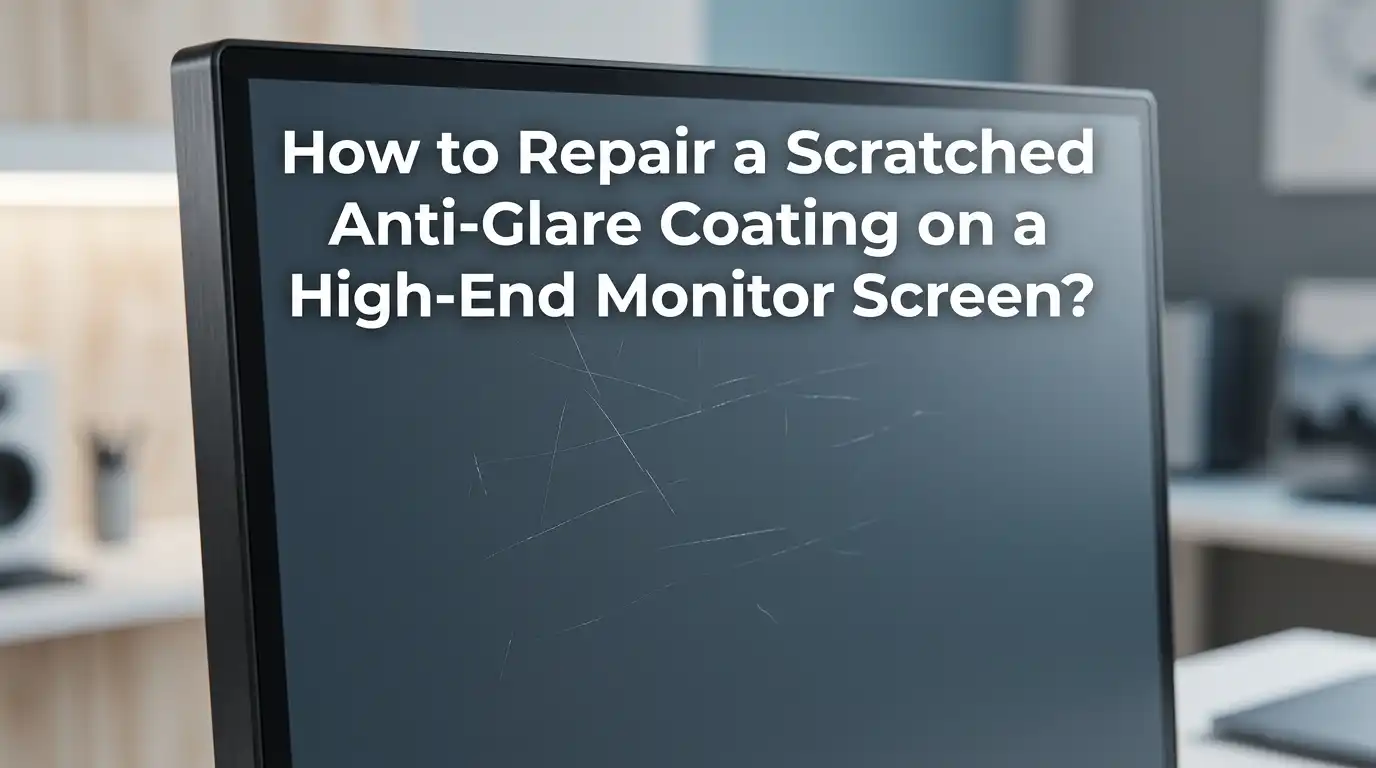
How to Repair a Scratched Anti-Glare Coating on a High-End Monitor Screen?
A scratched anti-glare coating on your premium monitor feels like a punch in the gut. You spent good money on a 4K display, an ultrawide, or a color accurate panel for editing.
Now a strange smudge, a rainbow streak, or a dull scratch ruins every viewing session. The worst part is that regular cleaning seems to make the damage worse, not better.
This guide walks you through each fix step by step. You will learn what works, what to avoid, and how to protect the screen going forward. Let us get your monitor looking sharp again.
Key Takeaways
- Anti-glare coatings are delicate polymer layers that scratch easily from rough cloths, ammonia based cleaners, or fingernails. Once damaged, the coating cannot be polished back to factory perfection. You can only reduce visibility or remove it cleanly.
- Light scratches can sometimes be masked using petroleum jelly, vegetable oil, or specialty plastic polish. These fillers refract light similar to the coating and hide minor marks. Results last days or weeks, not forever.
- Full coating removal with warm water and a microfiber cloth is the most popular fix for severe damage. The process takes hours but converts your screen from matte to glossy. This change is permanent and irreversible.
- Replacement anti-glare film offers a middle ground. You strip the old damaged coating, then apply a fresh cut to size matte film. The screen looks new again but requires patience.
- Professional repair shops can replace the entire panel or apply custom optical films. This is the safest route for warranty covered or very expensive monitors.
- Prevention beats repair every time. Use only distilled water, microfiber cloths, and gentle pressure to keep your coating safe.
What Anti-Glare Coating Actually Is
The anti-glare coating on your monitor is a thin polymer or oxide layer applied during manufacturing. It scatters incoming light in tiny directions so reflections do not bounce straight back into your eyes. This is why a matte screen looks dull under a lamp while a glossy one mirrors the room.
High-end monitors from brands like Dell UltraSharp, LG UltraFine, BenQ, and ASUS ProArt use multilayer coatings. These improve contrast and reduce eye strain during long work sessions. The trade-off is that the coating sits on the outermost layer, exposed to every wipe and touch.
The coating is softer than the glass or plastic beneath it. Even a paper towel can leave micro scratches over time. Knowing this helps you choose the right repair method without making the damage worse.
How to Identify the Type of Damage First
Before you fix anything, look at the screen carefully under bright light with the monitor turned off. Use your phone flashlight at an angle. Different damage needs different fixes, and using the wrong method causes permanent harm.
Surface scratches appear as thin white or silver lines that catch the light. They sit on top of the coating but do not penetrate to the LCD layer below. Coating wear patches look like cloudy spots, oily smears, or rainbow patterns that will not wipe away. These usually come from harsh chemicals like ammonia or alcohol.
Deep gouges that show the LCD pixels underneath are not coating damage. That is panel damage, and no coating repair will help. If you see liquid spread, dead pixels, or color bleed, stop and consider professional service or replacement.
Gather Your Repair Tools and Supplies
Having the right materials makes the job smoother and safer. Most items cost under twenty dollars total. Buy quality microfiber cloths because cheap ones shed fibers and create new scratches.
You will want distilled water, several clean microfiber cloths, 99 percent isopropyl alcohol for stubborn spots, white vinegar for the diluted cleaning mix, and cotton swabs for tight edges. For coating removal jobs, add warm water, paper towels, and a plastic card like an old credit card for scraping.
Avoid these items at all costs: paper towels for wiping the screen itself, Windex or any ammonia cleaner, acetone, nail polish remover, dish soap with degreasers, and rough cotton t-shirts. Each of these can dissolve or scratch the coating further. Lay down a soft towel under the monitor to catch drips during work.
Method 1: Mask Light Scratches with Petroleum Jelly
This trick works surprisingly well for hairline scratches that bother you in certain lighting. Petroleum jelly fills the scratch and refracts light at a similar angle to the surrounding coating. The result is a less visible mark.
Power off and unplug the monitor first. Dab a tiny amount of petroleum jelly onto a cotton swab. Apply it directly into the scratch only, not the surrounding area. Use a clean microfiber cloth to buff the spot in small circles until the excess is gone. Check your work under bright light.
Pros: Cheap, quick, completely reversible, and easy for beginners.
Cons: Temporary fix that lasts a few days to a few weeks. Can attract dust if applied too thickly. Does not work on deep scratches or coating wear patches. May leave a faint shiny spot in certain angles.
Method 2: Use Plastic Polish for Stubborn Marks
Plastic polishes like Novus 2 and Brasso are designed to remove fine scratches from acrylic and polycarbonate. They contain mild abrasives that level the top surface. This method physically removes a tiny amount of the coating to smooth out the scratch.
Apply a small drop of polish to a clean microfiber cloth, not directly to the screen. Rub in slow, gentle circles over the affected area for about thirty seconds. Wipe clean with a fresh dry cloth and inspect the result. Repeat once or twice if needed, but do not overdo it.
Pros: Provides longer lasting results than petroleum jelly. Often makes the scratch nearly invisible. Works on both matte and glossy surfaces.
Cons: Removes part of the anti-glare layer, leaving a slightly glossier patch. Risk of uneven finish if applied too aggressively. Not suitable for the entire screen, only spot repairs.
Method 3: Full Anti-Glare Coating Removal with Warm Water
When the coating is too damaged to save, removing it entirely is often the cleanest solution. This converts your matte display into a glossy one. The wet paper towel method is the most reliable approach and takes about two to six hours.
Lay the monitor flat on a soft towel with the screen facing up. Soak several paper towels in warm distilled water and lay them across the entire screen. Make sure every part of the coating stays covered and wet for the duration. Check every thirty minutes and re-wet as needed.
After three to six hours, lift one corner of a paper towel. The coating should peel up with the wet paper in a soft, gummy layer. If it sticks, leave it longer. Use a plastic card to gently lift stubborn patches. Wipe the bare glass clean with isopropyl alcohol when done.
Pros: Permanent fix, restores perfect clarity, no more scratches or smudges in the coating, and free aside from supplies.
Cons: Irreversible change to a glossy screen with strong reflections. Voids any remaining warranty. Time consuming. Requires careful handling to avoid water entering the bezel.
Method 4: Apply a Replacement Anti-Glare Film
If you love the matte look but the coating is ruined, replacement film is the best of both worlds. Companies like Photodon and Expert Shield sell custom cut anti-glare films sized to your specific monitor. You strip the old coating first, then apply the new film.
Remove the old damaged coating using Method 3 above. Clean the bare panel with isopropyl alcohol and let it dry completely. Spray the screen lightly with a soapy water solution from a fine mist bottle. This lets you slide the film into perfect alignment before squeezing out bubbles with a soft squeegee.
Pros: Restores the matte appearance with fresh, scratch free anti-glare properties. Custom sizes fit most monitors precisely. Film can be replaced again later if damaged.
Cons: Costs around thirty to seventy dollars per sheet. Application requires patience and a dust free room. Bubbles or misalignment ruin the result.
Method 5: Professional Screen Refinishing Services
Some companies specialize in monitor and TV screen restoration. They can strip and reapply optical coatings using equipment most DIY users do not have. This is the safest route for expensive professional displays like Eizo, NEC reference monitors, or Apple Pro Display XDR units.
Search for local electronics repair shops that handle screen refinishing. Send the monitor or take it in for an evaluation. Expect quotes between one hundred and four hundred dollars depending on screen size and panel type. Some manufacturers offer panel swap programs through their warranty service centers.
Pros: Professional grade results with proper tools and materials. No DIY risk. May restore factory appearance for color critical work.
Cons: Expensive compared to home methods. Shipping risks for large monitors. Turnaround time can be one to three weeks. Not always available in smaller cities.
How to Clean the Screen Properly Going Forward
After any repair, treat your screen like glassware. The biggest cause of coating damage is improper cleaning. Power off and unplug the monitor before any cleaning session so smudges show clearly against a dark background.
Use a dry microfiber cloth first for dust. For fingerprints or oils, mix fifty percent distilled water with fifty percent white vinegar in a spray bottle. Spray the cloth, never the screen directly. Wipe in straight lines from top to bottom with light pressure. Follow with a dry microfiber cloth to buff away streaks.
Avoid every cleaner that contains: ammonia, ethyl alcohol in high concentrations, acetone, methyl chloride, or toluene. These eat anti-glare coatings within seconds. Pre-moistened eyeglass wipes are usually safe and convenient for quick touch-ups.
What to Avoid When Repairing Anti-Glare Coatings
Some common advice on the internet is genuinely harmful to your monitor. Avoiding these mistakes will save you from making a small problem into a screen replacement situation. Read carefully before you try anything aggressive.
Never use toothpaste on a monitor screen. It works on phone screens because those are hardened glass. Monitor coatings are soft polymer and toothpaste abrasives will create thousands of micro scratches. Avoid magic erasers because they are essentially fine sandpaper.
Do not use heat guns or hair dryers to soften the coating. The LCD panel beneath cannot handle the heat and you risk dead pixels or backlight damage. Avoid soaking the bezel area with any liquid, since water entering the panel destroys the electronics. Always test any method on a corner first.
Preventing Future Damage to Your Monitor
Prevention is far cheaper than repair. Once you have your screen looking right again, build habits that protect it for years. Most coating damage happens slowly through small mistakes rather than one big incident.
Keep the monitor out of direct sunlight, which weakens coatings over time. Use a dust cover when the monitor is off for extended periods. Touching the screen with fingers transfers oils that attract grit, so train yourself and family members to point with closed hands. Avoid eating or drinking directly in front of the display.
Position the monitor away from heating vents and humidifiers. Sudden moisture changes can cause coating delamination on some models. Clean it weekly with a dry microfiber cloth so dust never builds up into a scratchy layer that damages the coating during the next wipe.
When to Replace the Monitor Instead of Repairing
Sometimes repair is not the smart move. If the coating damage covers a large area and the monitor is older than five years, replacement may cost about the same as professional refinishing. Newer panels also offer better brightness, color accuracy, and refresh rates.
Check the monitor age and current resale value first. If your panel uses outdated standards like 60Hz when you need 144Hz, repair money is better spent on an upgrade. For color critical work, even a perfectly repaired coating may have slight inconsistencies that affect calibration.
Warranty status matters too. Many premium monitors include three year coverage that includes screen defects. Before any DIY work, call the manufacturer to confirm whether your damage qualifies. You might get a free replacement panel or full unit swap without paying anything.
Frequently Asked Questions
Can I use toothpaste to fix a scratched monitor screen?
No, toothpaste should never touch your monitor. While it works on hardened phone glass, the soft polymer coating on a high-end monitor is far more delicate. Toothpaste abrasives create new micro scratches and ruin the matte finish permanently. Stick to petroleum jelly, plastic polish, or full coating removal instead.
Will removing the anti-glare coating damage my LCD panel?
The warm water and paper towel method is safe for the LCD panel when done carefully. The coating sits on the outer protective layer, not the pixels themselves. Keep water away from the bezel edges and electronics. The bigger risk is voiding your warranty and making the screen permanently glossy.
How long does a temporary scratch fix like petroleum jelly last?
Petroleum jelly fixes typically last between a few days and three weeks. The duration depends on how often you clean the screen and how warm the room gets. Reapply whenever the scratch becomes visible again. This method is meant for hiding marks, not permanent repair.
Is it cheaper to repair or replace a scratched high-end monitor?
DIY repair costs between five and seventy dollars depending on the method. Professional refinishing runs one hundred to four hundred dollars. A new high-end monitor often costs five hundred dollars or more. For most users, repair is the better financial choice unless the monitor is already several years old.
Can replacement anti-glare film match the original coating quality?
Quality replacement films from reputable optical companies come very close to factory coatings. They reduce glare effectively and feel similar to the original matte surface. However, color accuracy may shift slightly, which matters for professional photo and video editing. Test on a small area first if color work is critical.
What is the safest cleaner for anti-glare monitor screens?
A fifty fifty mix of distilled water and white vinegar is the safest homemade option. Pre-moistened eyeglass wipes from optical shops also work well. Apply to a microfiber cloth, never directly to the screen. Avoid anything containing ammonia, acetone, or strong alcohols, as these dissolve coatings on contact.

Hi, I’m Frankie Shaw, the founder and writer behind Swittchly 👋. I’m a passionate tech enthusiast who loves exploring the latest gadgets, devices, and electronics that hit the market. Through my honest, research-backed Amazon product reviews, I help readers make smarter buying decisions without the hype or confusion.