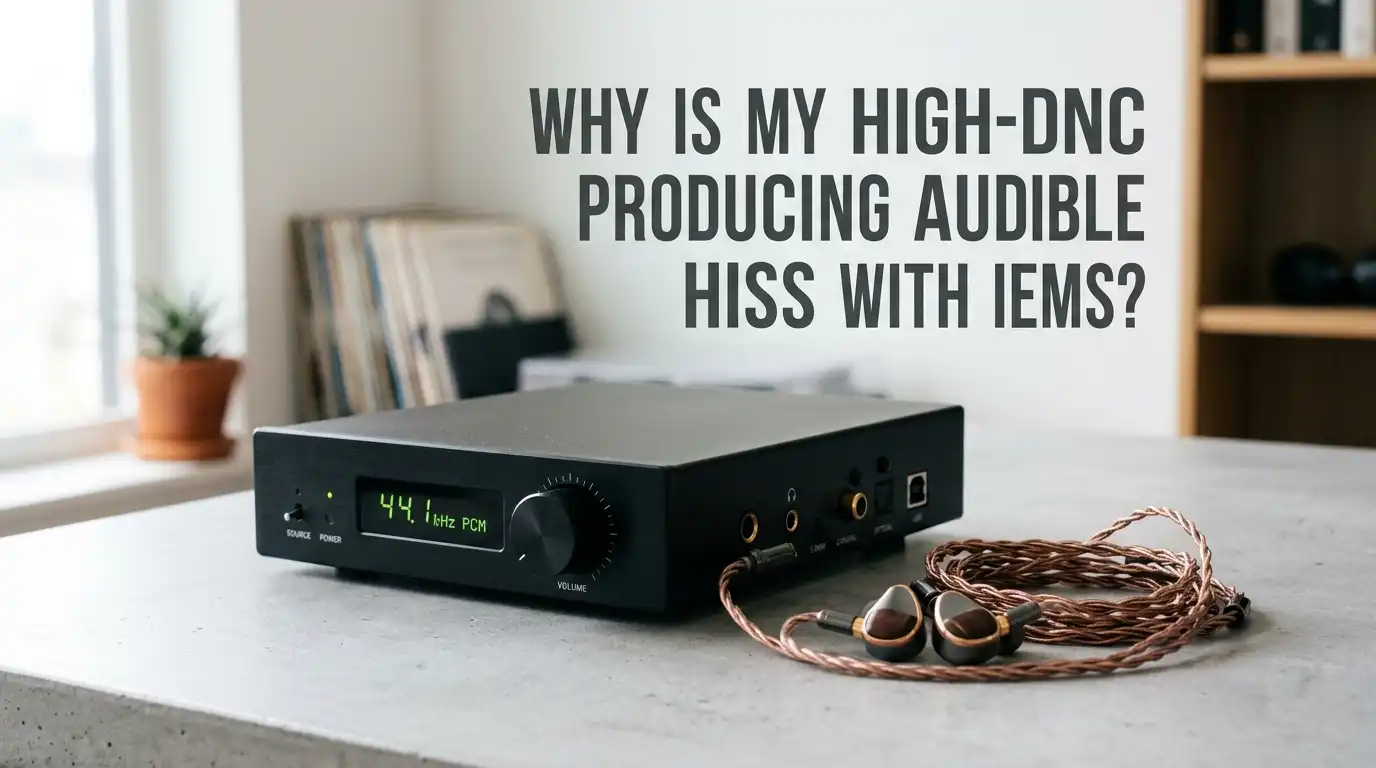
Why Is My High-End DAC Producing Audible Hiss With IEMs?
You spent serious money on a premium DAC. You plugged in your favorite in-ear monitors. Then you heard it: that faint, annoying hiss in the background. It feels wrong.
A high-end source should sound clean, not noisy. The good news is that this problem has clear technical causes and proven solutions. This guide breaks down why hiss happens and how to silence it step by step.
In a Nutshell
- Hiss is usually a power mismatch problem, not a defect. Your IEMs are too sensitive for the output level your DAC produces, so the amp’s natural noise floor becomes audible.
- Output impedance matters more than price. Even expensive DACs can have output impedance that clashes with low impedance IEMs, causing hiss and frequency response shifts.
- Gain settings are your first line of defense. Switching from high gain to low gain often cuts hiss dramatically without buying anything new.
- Impedance adapters like the iFi iEMatch or simple resistor cables solve most hiss issues for under fifty dollars by adding controlled resistance and attenuation.
- Balanced outputs can be louder but noisier with sensitive IEMs because they double the voltage swing and sometimes the noise floor too.
- Sensitivity above 110 dB per milliwatt and impedance below 32 ohms puts your IEMs in the high risk group for picking up hiss from almost any desktop or portable amp.
What Hiss Actually Sounds Like and Why You Hear It
Hiss is a steady, high frequency noise that sits behind your music. You hear it most clearly during quiet passages or silent moments. It does not change with the song. It stays constant because it comes from the amplifier circuit itself, not the recording.
Sensitive IEMs act like microscopes for noise. They convert tiny electrical signals into loud sound. A regular full size headphone needs much more power to play at the same volume.
So the same background noise that stays inaudible on big headphones becomes obvious through your IEMs. This is physics, not poor engineering. Your ears are simply close to a very efficient transducer.
Understanding IEM Sensitivity and Why It Triggers Hiss
IEM sensitivity is measured in decibels per milliwatt (dB/mW). A typical full size headphone sits around 95 to 100 dB/mW. Many modern IEMs push past 110 dB/mW. Some hit 120 dB/mW or more. Every 3 dB increase doubles the perceived loudness of the noise floor.
This means a 115 dB/mW IEM can be roughly eight to sixteen times more sensitive to amp hiss than a standard headphone. You barely need to turn the volume past one or two.
The amp’s quietest noise sits very close to your hearing threshold. Even a clean, well designed DAC can reveal hiss because the IEM amplifies whatever the circuit produces, including the tiny residual noise that always exists in electronics.
Pros of high sensitivity IEMs: Easy to drive, work well with phones and small dongles, save battery on portable sources.
Cons: Reveal every flaw in source equipment, hiss with powerful amps, channel imbalance at low volume on analog pots.
How Output Impedance Causes Hiss and Tone Changes
Output impedance is the resistance the amp presents to your headphones. The general rule says your headphone impedance should be at least eight times the source output impedance. If your IEM is 16 ohms, your DAC should output 2 ohms or less.
When output impedance is too high, two bad things happen. First, the frequency response of the IEM shifts because the impedance forms a voltage divider with the driver. Bass can get loose, treble can change.
Second, high output impedance often correlates with higher noise because the amp stage is not optimized for low impedance loads. Many high-end DACs target high impedance headphones first, leaving IEM users with mismatched output stages that pass noise through more easily.
Step One: Switch to Low Gain Mode
Most quality DAC amps include a gain switch. Gain controls how much the amp multiplies the incoming signal. High gain pushes more voltage out for the same volume position. It also pushes more noise. Low gain reduces both the music level and the noise floor by the same amount.
Flip the switch to low gain. You will need to turn the volume knob higher, but the signal to noise ratio improves dramatically for sensitive loads. If your unit has three settings (low, medium, high), always start with the lowest one when using IEMs.
Pros: Free, instant, no extra gear needed, preserves audio quality.
Cons: Some amps still hiss on low gain, you lose maximum loudness headroom, not every device offers a gain switch.
Step Two: Try the Single Ended Output Instead of Balanced
Balanced outputs (4.4mm or 2.5mm) usually deliver double the voltage swing of single ended outputs (3.5mm or 6.35mm). For full size headphones, that extra power feels great. For sensitive IEMs, it often makes hiss worse.
The balanced circuit uses two amp stages per channel instead of one. Each stage contributes its own small amount of noise. The total noise floor can rise by 3 to 6 dB. Switch your IEM to the single ended jack and listen again. Many users find the hiss drops noticeably, and the IEM still plays plenty loud since it needs so little power anyway.
Pros of single ended for IEMs: Lower noise floor, simpler signal path, fewer compatibility issues.
Cons: Less power on tap, no crosstalk benefits of balanced design, some premium DACs sound better through their balanced stage.
Step Three: Use an Impedance Adapter or Attenuator
An impedance adapter is a small inline device or cable that adds resistance between the amp and your IEMs. Devices like the iFi iEMatch, the Hosa attenuator cable, or simple 75 ohm and 150 ohm adapters all work the same way. They reduce the voltage reaching the IEM and lower the audible noise.
A good attenuator drops the signal by 12 to 24 dB. This pushes the noise floor below hearing threshold while letting you use a comfortable volume position. Quality adapters keep their own output impedance very low so they do not skew the IEM’s frequency response.
Pros: Cheap and effective, no electronics needed, works with any source, eliminates channel imbalance at low volume.
Cons: Adds a connector in the chain, cheap resistor adapters can change tonality, you lose some maximum loudness ceiling.
Step Four: Match Your Source to Your IEM Properly
Not every DAC is built for IEMs. Many flagship desktop units target 300 ohm headphones with high output power. Pairing them with 16 ohm IEMs is like using a freight truck to deliver an envelope.
Look for sources that specifically advertise an IEM mode, an ultra low gain setting, or output power figures under 100 milliwatts into 32 ohms. Dongle DACs and portable players often have cleaner low level performance than large desktop stacks because they were engineered around sensitive loads from the start.
Pros of IEM friendly sources: Black background, no hiss, proper power matching.
Cons: May not drive full size headphones well, sometimes limited features, often portable form factor only.
Step Five: Check Your Cables, Ground, and Power Source
Sometimes hiss has nothing to do with your DAC’s design. It comes from outside interference. Cheap USB cables can carry noise from your computer’s power rail into the DAC. Ground loops between your PC, DAC, and amp can introduce buzz that sounds like hiss.
Try a different USB cable. Plug your DAC into a different outlet. If you use a desktop tower, test on a laptop running on battery. Battery power eliminates mains noise instantly.
You can also try a USB isolator or a linear power supply if your DAC accepts external power. These steps cost little and reveal whether the problem is the DAC itself or the environment around it.
Step Six: Test With Different IEMs and Different Sources
Before blaming your DAC, isolate the variable. Plug a different IEM into the same DAC. Plug your current IEM into a different source like a phone dongle. If only one specific IEM hisses on your DAC, the issue is impedance and sensitivity matching. If every IEM hisses on this DAC, the unit itself has a high noise floor.
This simple test saves time and money. You avoid returning a working DAC that just does not match your earphones. You also stop blaming IEMs that work perfectly with other sources.
Pros: Free diagnostic step, points to the real culprit, prevents wrong purchases.
Cons: Requires owning multiple devices, takes patience, results can be subjective in noisy rooms.
Step Seven: Consider a Dedicated IEM Amplifier
If your current DAC continues to hiss after every adjustment, you may need a different amp stage. Some companies make amplifiers specifically engineered for sensitive IEMs. These units focus on ultra low noise floor rather than raw power output.
You can keep your high-end DAC and feed its line output into a dedicated IEM amp. This preserves the DAC’s sound character while solving the hiss problem at the amplification stage. Look for amps that publish their noise floor specs in microvolts and offer dynamic range above 120 dB on the headphone output.
Pros: Solves hiss completely, keeps your existing DAC investment, modular system flexibility.
Cons: Extra cost, more cables and clutter, another device on your desk.
Step Eight: Adjust Volume Strategy in Software
Digital volume control in your operating system or music app can change the hiss equation. Keep the digital volume at maximum and control loudness with the amp’s analog volume knob. This sounds counterintuitive, but it works.
When digital volume is low, the signal arrives at the amp very small. You then crank the amp to compensate, which raises the noise floor. With digital at full and amp turned down, the music sits well above the noise floor. The signal to noise ratio improves at your ears. This trick is free and takes ten seconds to try.
When the DAC Itself Is Simply Too Noisy
Some high-end DACs measure beautifully on paper but show poor low level noise behavior with IEMs. Specs like SINAD and dynamic range are often measured at maximum output, not at the tiny voltages IEMs use.
If you have tried gain switching, single ended output, adapters, software volume, and clean power, and the hiss persists, the DAC may simply not be a good match for your IEMs.
This is not a defect. It is a design choice. Premium does not always mean compatible. In that case, the best path is selling or repurposing the DAC for full size headphones and choosing a unit known for IEM friendly performance.
Frequently Asked Questions
Is hiss damaging my IEMs or my hearing?
No. Hiss at normal listening levels is well below any volume that could harm your hearing or your drivers. It is purely an annoyance. The audio quality of your music is not degraded either, just slightly masked during quiet sections.
Why does my phone not hiss but my expensive DAC does?
Your phone has very limited output power and was tuned for sensitive loads. Your expensive DAC was likely tuned for high impedance headphones. More power and more gain means more audible noise floor on sensitive IEMs.
Will a more expensive cable reduce hiss?
No. Hiss is generated by the amplifier circuit, not the cable. Premium cables do not lower noise floor. An inline attenuator or impedance adapter actually changes the electrical relationship and does help.
Do all IEMs hiss equally on the same DAC?
No. IEMs with higher sensitivity and lower impedance hiss more. Multi driver IEMs with crossovers often hiss differently than single dynamic driver models because their impedance curves vary across frequencies.
Can I just ignore the hiss?
Yes, if it does not bother you during music playback. Most hiss disappears under the music itself. If you only hear it during silent gaps, many listeners simply learn to ignore it. But if it distracts you, the fixes above are worth trying.
Does burning in a new DAC reduce hiss?
No. Burn in does not change the noise floor of solid state electronics in any measurable way. If your new DAC hisses on day one, it will hiss the same on day one hundred.

Hi, I’m Frankie Shaw, the founder and writer behind Swittchly 👋. I’m a passionate tech enthusiast who loves exploring the latest gadgets, devices, and electronics that hit the market. Through my honest, research-backed Amazon product reviews, I help readers make smarter buying decisions without the hype or confusion.