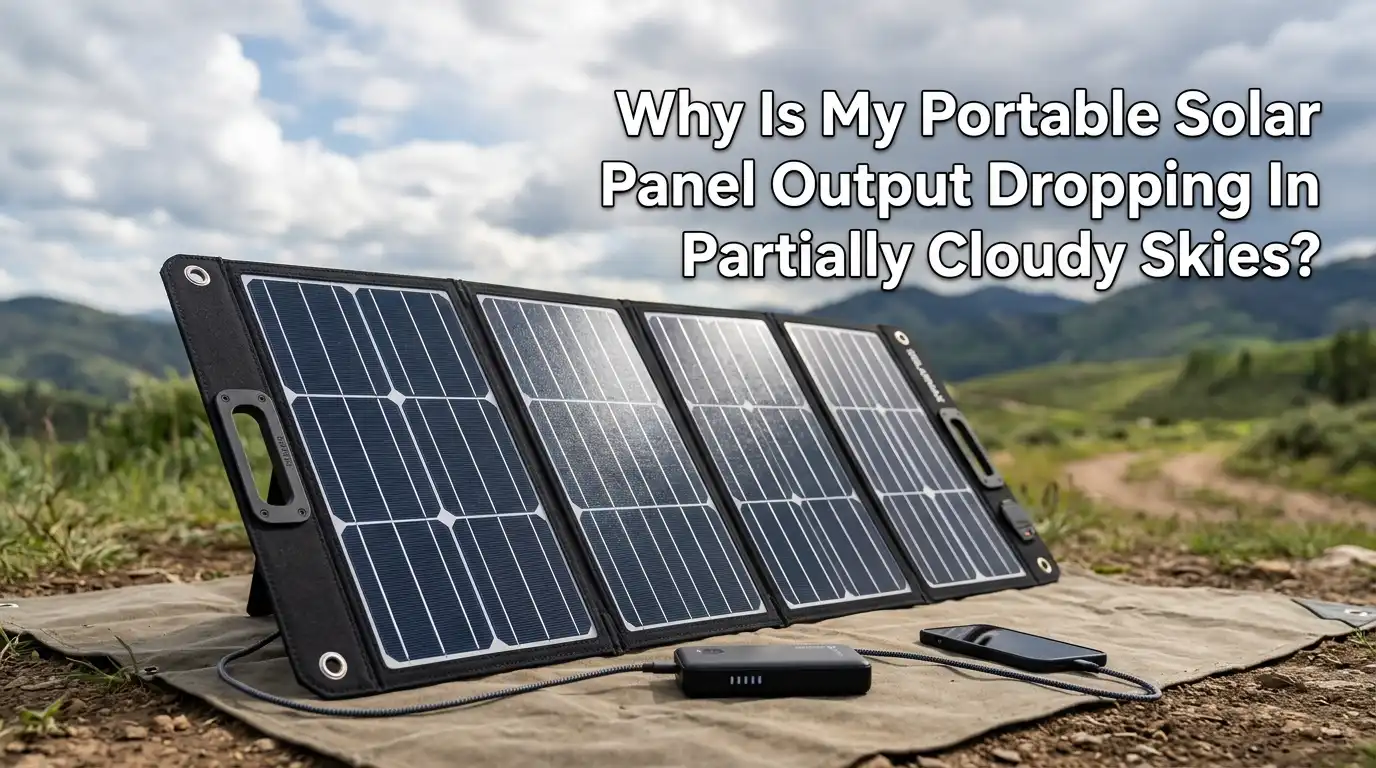
Why Is My Portable Solar Panel Output Dropping In Partially Cloudy Skies?
You set up your portable solar panel on a bright morning. The charge controller shows solid numbers. Then a few clouds roll in, and your output drops by half.
A minute later, the sun peeks out, and the numbers climb again. This frustrating up and down cycle confuses many solar users, and you are not alone.
Partially cloudy skies create one of the trickiest conditions for portable solar panels. Your panel can lose 23% to 67% of its rated output depending on the type and thickness of the clouds overhead.
In a Nutshell
- Clouds scatter and block direct sunlight, which is the primary fuel for your solar panel. Even thin clouds can cut your panel’s current output significantly, and the constant shifting between sun and shade makes it hard for your charge controller to keep up.
- Partially cloudy skies reduce output more unpredictably than full overcast. On a fully overcast day, your panel settles into a low but steady output. Partial clouds cause rapid swings that can confuse cheaper charge controllers and reduce overall energy harvest.
- Your panel type matters a lot. Monocrystalline panels generally perform better in low light conditions than polycrystalline panels. If you are using an older or lower quality panel, you will notice bigger drops during cloud cover.
- An MPPT charge controller can recover more power from fluctuating light conditions than a basic PWM controller. MPPT controllers constantly adjust voltage and current to find the best power point, which is critical during rapid light changes.
- Panel angle and positioning still matter on cloudy days. A flatter angle (around 15 to 30 degrees) helps your panel collect more diffuse light from the entire sky dome rather than relying only on direct sunlight from one direction.
- Simple maintenance makes a real difference. Dust, fingerprints, and moisture on the panel surface reduce the already limited light reaching your cells. Keeping the surface clean during cloudy conditions gives you a measurable boost in output.
How Clouds Actually Reduce Your Solar Panel Output
Clouds reduce solar panel output by blocking and scattering sunlight before it reaches your panel’s photovoltaic cells.
When sunlight passes through a cloud, water droplets and ice crystals absorb some energy and redirect the rest in many directions. This scattered light, called diffuse light, carries less energy per square inch than direct sunlight.
Your portable solar panel relies on photons hitting the silicon cells to knock electrons loose and create electrical current. Fewer photons mean less current.
The voltage stays relatively stable, but the current drops sharply under cloud cover. This is why your charge controller might show nearly the same voltage reading but a much lower amperage and wattage.
Low, thick clouds block the most light and can cut your output to just 10% to 25% of the panel’s rating. High, thin cirrus clouds let more light through and may only reduce output by 20% to 40%. The type of cloud above you matters just as much as the amount of cloud cover.
Why Partial Clouds Are Worse Than Full Overcast
This sounds backward, but partially cloudy skies can actually be harder on your charging system than a fully overcast day. The reason is rapid fluctuation. Your panel swings between near full output in direct sun and sharply reduced output when a cloud passes over.
These swings happen in seconds. Your charge controller has to constantly readjust its tracking to find the best voltage and current combination.
Cheaper PWM controllers struggle with this because they do not actively track the optimal power point. Even some MPPT controllers take a few seconds to re-optimize after each change.
The result is lost energy during every transition. On a fully overcast day, your panel settles into a steady low output, and the controller locks onto a stable operating point. Partial clouds prevent that stability and can reduce your total daily energy harvest below what you might collect on a uniformly gray day.
Pros of understanding this pattern: You can plan charging sessions around weather windows. Cons: You cannot control the weather, and partial cloud days remain unpredictable.
The Cloud Lensing Effect You Should Know About
Not all cloud interactions are bad news. A phenomenon called cloud lensing or the cloud edge effect can temporarily boost your panel’s output above its clear sky rating. This happens when ice crystals inside high altitude clouds focus sunlight like a magnifying glass.
Some solar users report production spikes of 10% to 20% above their panel’s normal peak during these brief moments. The edges of clouds can also reflect and concentrate sunlight onto your panel as the cloud moves past the sun.
However, these spikes are short and unpredictable. They typically last only seconds to a few minutes. While cloud lensing is a nice bonus, you should not count on it for consistent energy. It does explain those moments when your charge controller suddenly shows higher numbers than you expected on a partly cloudy afternoon.
Pros: Free extra power during brief windows. Cons: Too short and unreliable to plan around.
Why Your Panel Type Affects Cloudy Day Performance
The type of solar cells in your portable panel plays a big role in how much power you lose under clouds. Monocrystalline panels use a single crystal structure that converts light into electricity more efficiently across a wider range of conditions. Research consistently shows monocrystalline cells outperform polycrystalline cells in low light.
Polycrystalline panels use a multi crystal structure that is cheaper to manufacture but less efficient overall. The gap between the two types grows wider as light conditions get worse.
On a clear sunny day, the performance difference might be small. On a cloudy day, monocrystalline panels can produce noticeably more power from the same amount of diffuse light.
If you are shopping for a portable panel and you camp in areas with variable weather, monocrystalline is the better choice for cloudy conditions. Newer panels with half cut cell technology also handle partial shading and low light better than older full cell designs.
Pros of monocrystalline: Better low light output, higher efficiency per square foot. Cons: Typically costs more than polycrystalline panels of the same wattage.
How Your Charge Controller Handles Cloud Fluctuations
Your charge controller is the brain between your solar panel and your battery. It regulates the voltage and current flowing into the battery to prevent overcharging and to maximize energy harvest. The type of controller you use directly affects how well your system handles cloudy conditions.
A PWM (Pulse Width Modulation) controller is simple and affordable. It connects the panel to the battery at the battery’s voltage and does not adjust for changing light conditions. During cloud fluctuations, a PWM controller wastes potential power because it cannot optimize the operating point.
An MPPT (Maximum Power Point Tracking) controller constantly scans for the voltage and current combination that produces the most power. During partial cloud cover, an MPPT controller adjusts every few seconds to capture the best available energy. Studies show MPPT controllers can harvest 15% to 30% more energy than PWM controllers in variable light conditions.
Pros of MPPT: Significantly more energy in cloudy weather. Cons: Costs two to three times more than a PWM controller.
The Hidden Problem of Partial Shading on Portable Panels
Partial shading is a separate issue from cloud cover, but it often happens at the same time. When a cloud casts a shadow across part of your panel, the shaded cells produce less current. Because solar cells in a panel are wired in series, one shaded cell can drag down the output of the entire string.
Research shows that shading just 44% of a panel can cause up to 80% power loss in panels without bypass diodes. Most modern portable solar panels include bypass diodes that allow current to flow around shaded cells. However, bypass diodes do not eliminate the loss entirely. They just prevent the worst case scenario.
If you are using a foldable multi panel setup, make sure all sections receive equal light. Even a small shadow from a tree branch, tent pole, or your own gear on one section can cut your total output dramatically. Repositioning your panel every hour or so can help avoid these partial shading traps.
Pros of bypass diodes: They limit extreme losses from shading. Cons: You still lose the output from shaded sections.
Adjusting Your Panel Angle For Cloudy Conditions
On a clear day, the best angle for your portable solar panel is directly perpendicular to the sun. On a cloudy day, the rules change. Diffuse light comes from all directions across the sky dome, not just from the sun’s position. A flatter panel angle helps you capture more of this scattered light.
Solar experts suggest tilting your panel to 15 to 30 degrees on overcast or partially cloudy days instead of the steeper angles you might use on clear days.
This wider view of the sky lets your panel absorb diffuse light from a larger area. If you notice the clouds are mostly high and thin, you can still benefit from pointing the panel at the brightest area of the sky.
Some portable panels come with adjustable kickstands that make angle changes quick and easy. Take a moment to flatten your panel slightly when you see clouds moving in. This small change can improve your energy collection measurably during overcast periods.
Keep Your Panel Surface Clean For Maximum Light Capture
This tip sounds basic, but it becomes critical during cloudy conditions. When you only have 30% to 50% of normal sunlight reaching your panel, every bit of light matters. Dust, pollen, bird droppings, water spots, and fingerprints on the panel surface scatter and block incoming photons.
A dirty panel on a sunny day might lose 5% to 10% of its output. That same layer of grime on a cloudy day represents a larger percentage of your already reduced total. Cleaning your panel with a soft microfiber cloth before each use can recover meaningful wattage.
Avoid using abrasive materials or harsh chemicals that can scratch or damage the panel’s glass or coating. Plain water and a soft cloth work well for most situations.
If you are camping in a dusty or pollen heavy area, wipe down your panel every few hours. This simple habit costs nothing and directly improves your charging results.
Use Extra Panel Capacity To Offset Cloud Losses
One of the most reliable ways to fight cloudy day output drops is to oversize your solar array. If you need 100 watts to charge your battery in a reasonable time on a clear day, consider bringing 150 to 200 watts of panel capacity. The extra wattage compensates for the power lost to clouds.
This approach is called overbuilding, and it is a common strategy among experienced off grid users. On clear days, your charge controller limits the input to what your battery can safely accept. On cloudy days, the extra panel capacity means you still produce enough usable power to keep charging.
Make sure your total panel wattage stays within the maximum solar input rating of your charge controller or power station. Going over that limit can damage your equipment. Check the specifications before connecting additional panels.
Pros of overbuilding: More consistent charging in all weather. Cons: Extra weight, bulk, and cost for portable setups.
Monitor Your Output And Adjust Throughout The Day
Many portable power stations and charge controllers include real time output displays. Use this information to make adjustments throughout the day. If your wattage drops suddenly, check for shadows, reposition your panel, or adjust the angle.
A simple watt meter between your panel and battery gives you instant feedback on how changes affect your output. Move the panel a few inches, tilt it slightly, or relocate it to a sunnier spot, and watch the numbers respond in real time.
Tracking your output also helps you learn your panel’s behavior in different conditions. Over time, you will develop a sense for how much power you can expect on partly cloudy days, heavily overcast days, and clear days. This knowledge helps you plan your energy use and avoid running your battery too low.
Plan Your Energy Use Around Weather Windows
Partially cloudy skies create natural charging windows when the sun breaks through the clouds. These windows can deliver near full power for minutes at a time. Smart energy management means timing your heaviest charging to coincide with these sunny breaks.
If you have a battery or power station, focus on charging it during the brightest parts of the day, typically late morning to early afternoon. Avoid running high power devices directly from your panel during cloudy periods. Instead, store the energy in your battery and use it later.
Check a weather app for cloud cover forecasts. Many apps show hourly cloud percentage predictions that help you estimate your solar production for the day. Planning ahead allows you to adjust your energy budget and avoid unpleasant surprises when your devices run out of power.
When To Accept The Limitations And Use A Backup
Sometimes the clouds simply win. If you are experiencing heavy or persistent cloud cover, your portable solar panel may only produce 10% to 20% of its rating. At that level, charging a large battery can take all day or longer.
Having a backup power source is a practical part of any off grid setup. A small portable battery bank charged at home, a car charger, or even a small generator gives you options when solar alone cannot keep up. Experienced campers and overlanders often carry a backup specifically for extended cloudy weather.
Accepting the limitations of solar during bad weather is not a failure. It is good planning. Solar works best as part of a broader energy strategy, especially when you travel to areas with unpredictable weather.
Pros of carrying a backup: Reliable power regardless of weather. Cons: Extra weight and an additional item to maintain.
Frequently Asked Questions
How much power does a portable solar panel lose on a cloudy day?
A portable solar panel typically loses 23% to 67% of its rated output on a cloudy day. The exact amount depends on cloud thickness, type, and how much diffuse light reaches the panel. Thin high clouds cause less loss than thick low clouds. On a partly cloudy day, output fluctuates rapidly between near normal levels and reduced levels as clouds pass over the sun.
Do portable solar panels work in full overcast conditions?
Yes, portable solar panels still generate electricity in full overcast conditions. Output typically drops to 10% to 25% of the panel’s rated wattage. This means a 100 watt panel might produce only 10 to 25 watts under heavy clouds. Charging is slow but still possible, especially with a high efficiency monocrystalline panel and an MPPT charge controller.
Should I change my panel angle on cloudy days?
Yes. On cloudy days, diffuse light comes from across the entire sky rather than from one direct source. Flattening your panel to a 15 to 30 degree tilt helps it capture more of this scattered light. On clear days, pointing the panel directly at the sun produces the best results. Adjusting the angle based on conditions is a simple way to improve output.
Is an MPPT controller worth the extra cost for cloudy conditions?
An MPPT controller is worth the investment if you frequently use your portable solar panel in variable or cloudy weather. It can harvest 15% to 30% more energy than a PWM controller by constantly finding the best power point as light conditions change. If you only use your panel on clear sunny days, the benefit is smaller.
Can I damage my solar panel by leaving it out in cloudy or rainy weather?
Most portable solar panels carry an IP65 or higher weather resistance rating and can handle rain, humidity, and wind without damage. Rain can actually help by washing dust and debris off the panel surface. However, you should avoid leaving your panel in standing water or in extreme wind conditions that could physically damage it. Always check your specific panel’s weather rating before leaving it exposed.

Hi, I’m Frankie Shaw, the founder and writer behind Swittchly 👋. I’m a passionate tech enthusiast who loves exploring the latest gadgets, devices, and electronics that hit the market. Through my honest, research-backed Amazon product reviews, I help readers make smarter buying decisions without the hype or confusion.