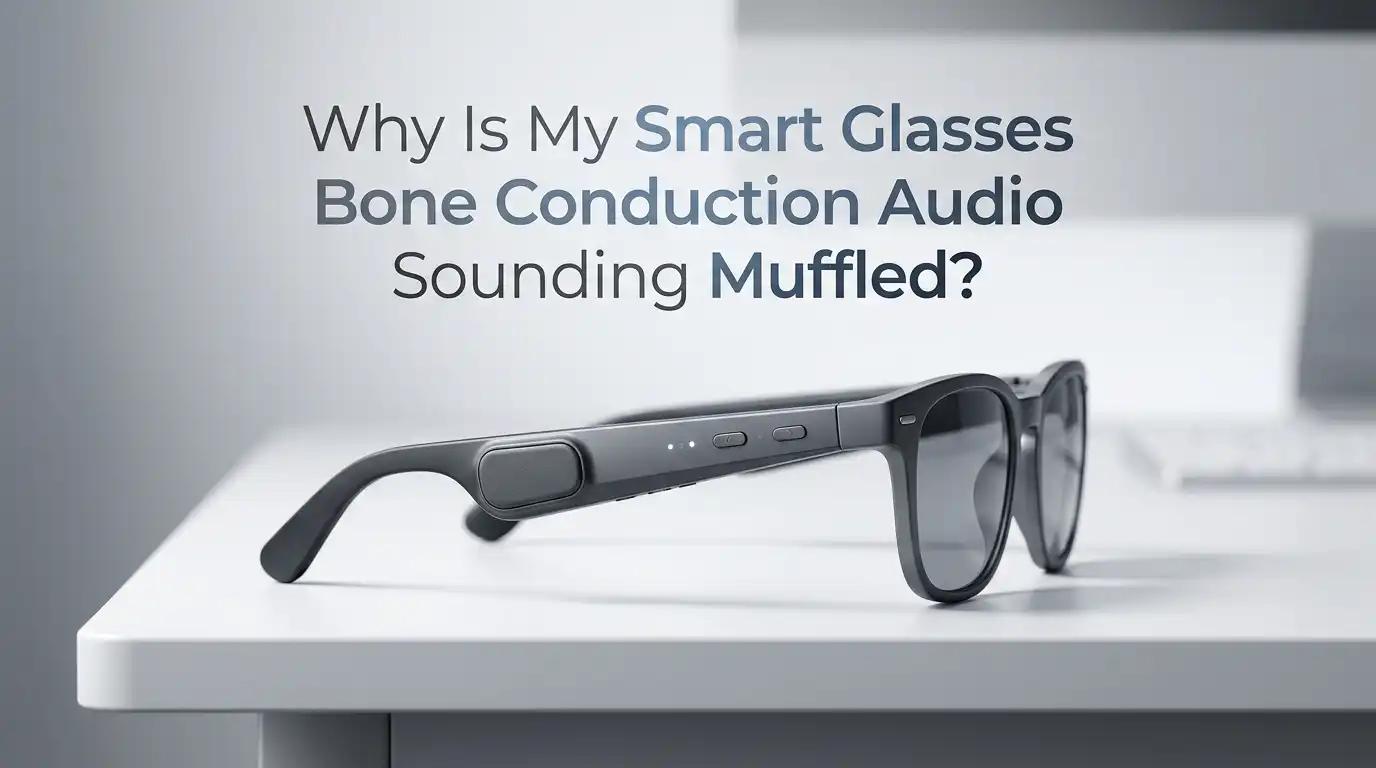
Why Is My Smart Glasses Bone Conduction Audio Sounding Muffled?
You put on your smart glasses, tap play, and instead of crisp audio, you hear something that sounds like someone talking through a pillow. The music feels dull. The podcast host sounds distant.
Phone calls are hard to follow. If you own smart glasses with bone conduction speakers, you have probably experienced this frustration at least once. The good news? Muffled bone conduction audio is almost always fixable.
The problem usually comes down to fit, settings, dirt buildup, or a software glitch. This post walks you through every common cause and gives you clear, step by step solutions so you can get your audio back to normal fast.
Key Takeaways
- Fit and positioning matter more than anything else. Bone conduction transducers must sit firmly on your cheekbones, just in front of your ears. If they rest on soft tissue or slide out of place, the sound will instantly lose clarity and volume. A small adjustment can make a big difference.
- Dirt, sweat, and oil buildup on the transducer pads is a top cause of muffled audio. Over time, skin oils, sunscreen, and dried sweat form a film over the vibrating surface. This dampens the vibrations before they ever reach your bones. Regular cleaning with a soft, dry cloth solves this quickly.
- Bluetooth connection problems can reduce audio quality. A weak or unstable Bluetooth link forces your smart glasses to use a lower quality audio codec. This makes everything sound flat and muddy. Staying within range and removing interference sources helps.
- Outdated firmware or incorrect equalizer settings can silently degrade your sound. Manufacturers release updates that fix audio bugs and improve performance. Wrong EQ settings can cut mid and high frequencies, making audio seem muffled even when the hardware is fine.
- Physical damage to the transducer or internal speakers is less common but possible. Drops, water exposure beyond the rated IP level, or long term wear can damage internal components. If nothing else works, the hardware itself may need attention.
- Environmental noise can mask bone conduction audio and make it seem muffled when it is not. Wind, traffic, and loud indoor spaces compete directly with bone conduction sound because your ears remain open. Using a slight volume boost or moving to a quieter spot often reveals that the audio was fine all along.
How Bone Conduction Audio Works in Smart Glasses
Bone conduction speakers in smart glasses do not push sound into your ear canal like traditional earbuds. Instead, they send vibrations through your cheekbones directly to your inner ear, bypassing the eardrum entirely.
Small transducer pads sit against the bone near your temples. These pads vibrate at specific frequencies to produce sound that your cochlea picks up.
This design keeps your ears open so you can hear the world around you. However, it also means the audio quality depends heavily on direct, firm contact between the transducer and your bone.
Any gap, movement, or barrier between the pad and your skin weakens the signal. That is why bone conduction audio can sound amazing one moment and muffled the next. Understanding this basic principle helps you troubleshoot almost every audio problem.
Poor Fit and Incorrect Positioning
The number one reason bone conduction audio sounds muffled is poor positioning of the transducers on your face.
These pads need to sit directly on your cheekbones, not on the soft tissue above or below them. Even a few millimeters of misalignment can reduce sound clarity dramatically.
If your smart glasses slide down your nose or sit too loosely, the transducers lose contact with bone. Try pushing your glasses slightly higher on your face and notice if the audio improves. A snug fit matters. Some smart glasses come with adjustable nose pads or temple tips that let you fine tune the position. Use them.
Pros of adjusting fit: Free, instant improvement, no tools needed.
Cons of adjusting fit: Some glasses frames simply do not fit certain face shapes well, and no amount of adjustment will fix a fundamental design mismatch.
Dirt and Sweat Buildup on the Transducers
Over weeks and months of use, the transducer pads collect skin oils, dried sweat, sunscreen residue, and dust. This buildup creates a thin barrier between the vibrating surface and your skin. Since bone conduction relies on direct contact to transmit vibrations, even a slight film can muffle the sound noticeably.
Wipe the transducer pads with a soft, dry microfiber cloth after every use. For stubborn buildup, dampen the cloth slightly with water. Avoid using alcohol or harsh chemicals, as these can damage the pad coating or dry out the material. Make this a daily habit, just like cleaning your lenses.
Pros of regular cleaning: Simple, fast, and completely free. Prevents long term damage.
Cons of regular cleaning: Requires consistency. Most people forget until the sound is already bad.
Unstable Bluetooth Connection
Your smart glasses connect to your phone or music player through Bluetooth. When that connection is weak, interrupted, or congested, the audio codec may downgrade automatically. This lower quality codec strips away detail and makes everything sound flat and muffled.
Common Bluetooth interference sources include Wi Fi routers, microwaves, crowded public spaces with many active devices, and physical barriers like walls or your own body.
Keep your paired device in a front pocket or close to your glasses rather than in a backpack. Also, make sure no other Bluetooth device is trying to connect to your phone at the same time. Disconnecting unused Bluetooth accessories often clears up audio quality instantly.
Pros of fixing Bluetooth issues: Restores full codec quality. Easy to do.
Cons of fixing Bluetooth issues: You may not always control your environment, especially in crowded places.
Outdated Firmware on Your Smart Glasses
Manufacturers push firmware updates that fix bugs, improve audio processing, and sometimes completely change the sound profile of your smart glasses. If you skip these updates, you may be running old code that causes muffled or distorted audio.
Check the companion app for your smart glasses regularly. Most brands like Meta, Bose, and others provide update notifications through their apps.
Install every available update and restart your glasses after the installation completes. Some users have reported that a single firmware update fixed persistent muffled audio that no amount of cleaning or repositioning could solve.
Pros of updating firmware: Can fix deep software bugs. Often improves overall performance.
Cons of updating firmware: Occasionally, a bad update can introduce new problems. You can usually roll back or wait for a patch.
Wrong Equalizer and Audio Settings
Your phone and smart glasses app may have equalizer (EQ) settings that shape the sound. If the EQ cuts mid range or high frequencies too aggressively, the result sounds muffled and dull. Some devices also have volume limiters or audio enhancement features that reduce clarity.
Open your phone’s sound settings and check for any active EQ presets. Reset the equalizer to flat or default as a starting point. Then make small adjustments.
For bone conduction, boosting mids and highs slightly while keeping bass moderate usually delivers the clearest results. Bone conduction naturally struggles with deep bass, so overloading bass frequencies just causes muddy vibrations without improving low end.
Pros of EQ adjustment: Free and instantly reversible. Lets you customize sound to your preference.
Cons of EQ adjustment: Requires some trial and error. Bad settings can make things worse before they get better.
Moisture and Water Damage
Smart glasses encounter sweat, rain, humidity, and accidental splashes. Even models with IP54 or IP55 ratings have limits. Moisture that gets inside the transducer housing can dampen vibrations or corrode internal components over time. The result is gradually worsening muffled sound.
After every workout or rainy outing, wipe your smart glasses dry with a soft cloth. Pay special attention to the area around the transducer pads and charging contacts.
Never charge your glasses while they are wet. Let them air dry completely first. If you suspect water has entered the housing, place the glasses in a dry, warm spot for several hours before using them again.
Pros of moisture prevention: Extends the life of your device significantly.
Cons of moisture prevention: Cannot always prevent exposure. Damage from water ingress may be irreversible.
Low Audio Source Quality
Sometimes the problem is not your smart glasses at all. Low bitrate audio files and poor streaming quality sound muffled on any device, but the effect is more obvious on bone conduction speakers because they already have less bass and a narrower frequency range than traditional headphones.
Check your streaming app settings. Switch to the highest available audio quality. On most music streaming platforms, you can find this under audio or playback settings.
If you listen to downloaded files, use formats like FLAC or high bitrate MP3 (at least 256 kbps). The difference between a 128 kbps stream and a 320 kbps stream is clearly noticeable through bone conduction.
Pros of upgrading audio quality: Immediate improvement in clarity and detail.
Cons of upgrading audio quality: Higher quality streams use more mobile data and storage space.
Interference From Glasses Frame Materials
Some smart glasses frames use thick plastic or metal around the temple area that can slightly absorb or redirect vibrations before they reach your cheekbone. The frame design itself can act as a dampener if the transducer is mounted inside a bulky housing.
If your glasses have removable temple tips or padding, check if removing or replacing them changes the audio. Thinner contact surfaces often deliver crisper sound. This is more of a design limitation than a user error, but being aware of it helps you set realistic expectations for your specific model.
Some people find that slightly pressing the transducer area against their face during playback produces noticeably better sound, confirming that frame material is absorbing some vibration energy.
Pros of understanding frame interference: Helps you make informed purchase decisions in the future.
Cons of understanding frame interference: You cannot change the frame design of glasses you already own.
Wearing Smart Glasses With Other Headwear
Hats, beanies, headbands, and even thick hairstyles can create a physical barrier between the transducer and your cheekbone. This barrier absorbs vibrations and causes muffled audio. Even a thin layer of fabric reduces the effectiveness of bone conduction.
Remove any headwear that covers the transducer area when you want clear audio. If you must wear a hat in cold weather, try positioning it so it does not overlap with the transducer pads.
Some users push their smart glasses slightly forward so the pads make direct skin contact below the hat line. Thick hair tied over the temple area has the same dampening effect, so pulling hair back or tucking it behind your ears can help.
Pros of clearing the transducer path: Immediate and noticeable audio improvement.
Cons of clearing the transducer path: Not always practical in cold or outdoor conditions.
Physical Damage to the Transducer
If you have tried every other fix and the audio remains muffled, the transducer itself may be damaged. Drops, impacts, and long term wear can crack the vibrating element or loosen internal connections. Water damage beyond the rated IP protection can also corrode the transducer coil.
Inspect the transducer pads for any visible cracks, dents, or discoloration. Test whether both sides produce equal sound by listening to each one individually.
If one side sounds clearly worse, the transducer on that side is likely damaged. Contact the manufacturer for repair or warranty replacement. Attempting to open and fix the transducer yourself usually causes more harm and voids the warranty.
Pros of identifying hardware damage: Stops you from wasting time on software fixes that will not help.
Cons of identifying hardware damage: Repair or replacement costs money. Not always covered by warranty.
Background Noise Masking the Audio
Bone conduction keeps your ears open by design. This means every sound in your environment competes with the audio from your glasses. Windy streets, noisy gyms, busy offices, and public transport can all make bone conduction audio seem muffled when the hardware is actually performing fine.
Test your smart glasses in a quiet room before concluding that something is wrong. If the audio sounds clear and full in silence, the problem is environmental. In noisy settings, a small volume increase helps.
Some smart glasses apps offer a “voice boost” or “vocal clarity” mode that emphasizes speech frequencies. Use it during calls in loud places. You can also try cupping your hands lightly over your ears for a moment to confirm that the audio is actually playing clearly underneath the ambient noise.
Pros of managing noise awareness: Helps you stop chasing a hardware problem that does not exist.
Cons of managing noise awareness: You cannot eliminate environmental noise in many real world situations.
When to Contact the Manufacturer
If you have cleaned your glasses, updated the firmware, reset the EQ, checked the Bluetooth connection, tested in a quiet room, and verified proper fit, and the audio still sounds muffled, it is time to reach out to the manufacturer. Persistent muffled sound after all troubleshooting points to a hardware defect or internal failure.
Document what you have tried before contacting support. Take note of when the problem started, whether it affects one side or both, and if it happens with all audio or only calls.
This information speeds up the support process. Most manufacturers offer warranty coverage for audio defects within the first year. Some even provide advance replacements so you do not have to wait without your device.
Frequently Asked Questions
Can I use earplugs with bone conduction smart glasses to improve sound?
Yes. Wearing soft foam or silicone earplugs while using bone conduction smart glasses can actually increase perceived volume and clarity. The earplugs block competing ambient noise, which lets the bone conducted audio come through more clearly. This trick works especially well in noisy environments like airplanes, trains, or busy streets. It does remove the open ear awareness benefit, so use it only when you do not need to hear your surroundings.
Why does bone conduction audio sound worse than regular earbuds?
Bone conduction sends vibrations through bone instead of air. This method naturally produces less bass and a narrower frequency range compared to traditional earbuds that seal inside your ear canal. The sound will always feel lighter and more mid range focused. This is a limitation of the technology, not a defect. However, if the audio is significantly muffled or distorted beyond this normal characteristic, something else is wrong and you should troubleshoot using the steps above.
How often should I clean the transducer pads on my smart glasses?
Clean them after every use with a soft, dry cloth. A quick wipe takes five seconds and prevents the gradual buildup of oils and sweat that cause muffled sound over time. For a deeper clean, use a slightly damp microfiber cloth once a week. Avoid submerging the transducer area in water or using chemical cleaners. Consistent cleaning is the single easiest way to maintain clear bone conduction audio long term.
Does cold weather affect bone conduction audio quality?
Cold temperatures can slightly reduce battery performance, which may indirectly affect audio output. Some users also report that cold skin and tightened muscles change how vibrations transmit through bone, making audio feel slightly different. Wearing the glasses for a few minutes allows body heat to warm the contact area, usually restoring normal sound. Extreme cold can also cause temporary stiffness in the headband or frame, affecting fit.
Will a factory reset fix muffled audio on my smart glasses?
A factory reset can help if the problem is caused by corrupted settings, a bad firmware install, or a software conflict. It restores all settings to their original state and clears any custom EQ profiles that may have been causing the issue. Check your companion app for the reset option. Keep in mind that you will need to re pair your glasses with your phone and reconfigure your preferences after the reset.

Hi, I’m Frankie Shaw, the founder and writer behind Swittchly 👋. I’m a passionate tech enthusiast who loves exploring the latest gadgets, devices, and electronics that hit the market. Through my honest, research-backed Amazon product reviews, I help readers make smarter buying decisions without the hype or confusion.