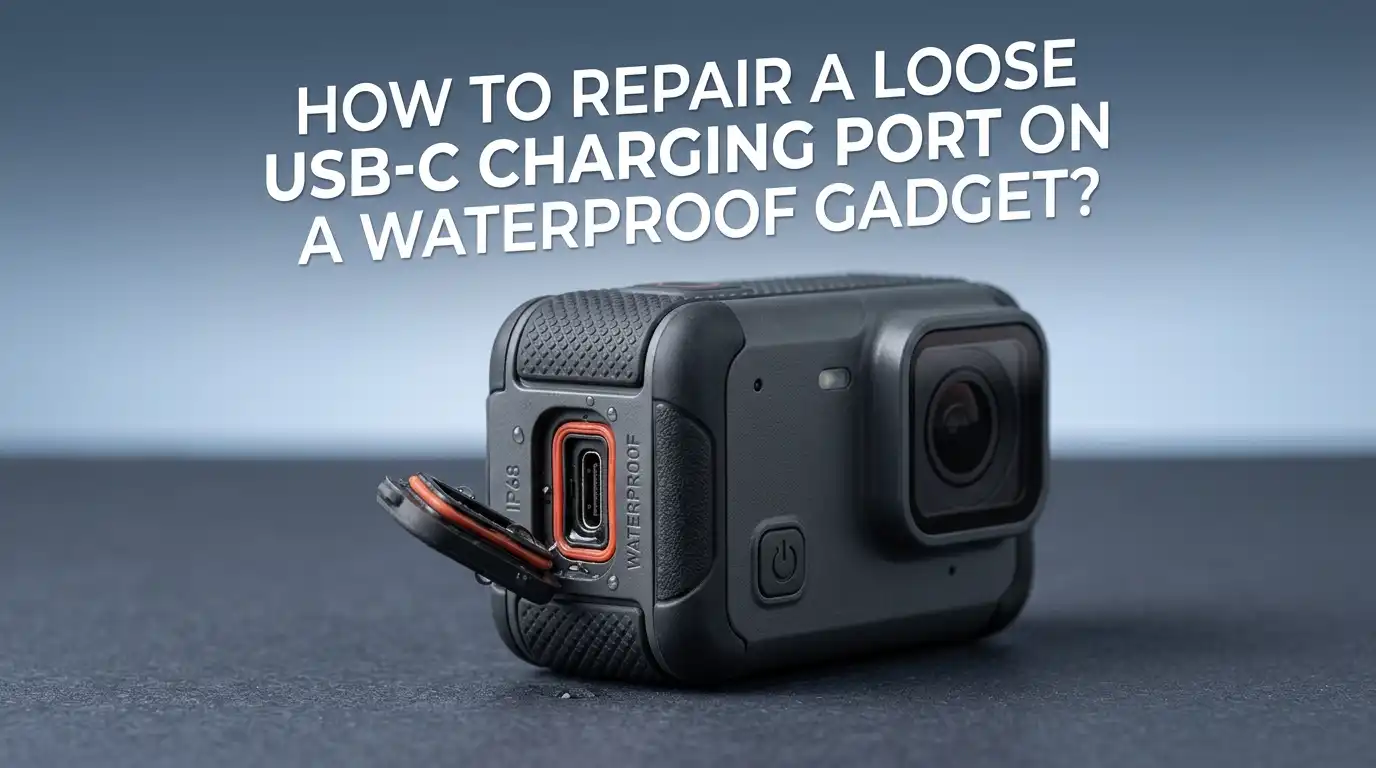
How To Repair A Loose USB C Charging Port On A Waterproof Gadget?
A loose USB C charging port on your waterproof gadget can feel like a double disaster. Your cable wiggles, your device charges only at odd angles, and you are terrified of breaking the water seal that keeps your phone or speaker alive.
This problem is far more common than you think. Millions of people deal with USB C ports that lose their grip over time due to pocket lint, wear and tear, or minor physical damage.
Whether you own a waterproof phone, Bluetooth speaker, fitness tracker, or action camera, you will find the right fix here. Let us break it all down so you can get your device charging strong again without sacrificing its water resistance.
In A Nutshell
- Pocket lint and debris are the most common cause of a loose USB C port. A thorough cleaning with a plastic pick or flosser often restores a tight connection instantly. Most people think their port is damaged when it is actually just clogged with compacted dust and fabric fibers.
- A faulty cable can mimic a loose port problem. Before you open your device or spend money on repairs, always test with a different high quality cable. Worn or cheap cables lose their spring loaded retention clips over time, which makes the connection feel wobbly.
- Magnetic USB C adapters offer a smart workaround. These small inserts stay in your port and let you charge through a magnetic cable. They reduce physical wear on the port and can preserve your waterproof seal by limiting how often you plug and unplug.
- Opening a waterproof device for port repair can compromise its IP rating. Factory adhesive seals, rubber gaskets, and pressure tested closures are difficult to replicate at home. If you must open the device, plan to reseal it with proper adhesive and gasket material.
- Professional repair is the safest option for serious port damage. Bent pins, cracked solder joints, or a physically broken port require soldering skills and specialized tools. A certified repair center can also reapply waterproof seals after the fix.
- Prevention saves you time and money. USB C port covers, regular cleaning, and gentle cable handling can extend your port’s life by years and keep your waterproof seal intact.
Why Does A USB C Port Become Loose On Waterproof Gadgets
USB C ports become loose for several reasons. The most frequent cause is compacted lint and debris inside the port.
Every time your device sits in a pocket, bag, or dusty surface, tiny fibers push into the port opening. Over weeks and months, this material packs tightly against the bottom of the port. The cable cannot seat fully, so it feels loose and wobbly.
Physical wear is the second major cause. Frequent plugging and unplugging stresses the internal spring contacts and the solder joints that hold the port to the circuit board. Rough handling, yanking the cable at an angle, or dropping the device can bend the internal pins.
On waterproof gadgets, moisture corrosion adds another layer of risk. Even IP68 rated devices can develop micro corrosion over time if water enters around worn seals.
How To Tell If Your USB C Port Is Actually Loose
Before you start any repair, confirm the port itself is the problem. Grab a flashlight and look inside the port. If you see fuzzy material, dust, or discoloration, debris is likely the issue.
Next, try plugging in a brand new cable. If the new cable clicks firmly into place and holds without wobbling, your old cable was the problem.
Perform a simple wiggle test. Plug in a known good cable and gently move it side to side. If micro movements cause charging to stop and start, the port hardware is likely worn or damaged.
Also check if the entire port assembly moves when you push the cable. A port that shifts or rocks inside the device frame has loose solder joints or a cracked mounting, and this requires more advanced repair.
Cleaning Out Lint And Debris From The USB C Port
This single step fixes the problem for a surprising number of people. Power off your device first. Use a plastic flosser pick or a sharpened wooden toothpick to gently scrape the inside of the port.
Focus on the bottom of the port where lint compacts the most. Avoid using metal tools unless you are very careful, because metal can scratch the contact pins.
Start from the edges and work toward the center. You will likely pull out a tightly packed wad of lint that looks like felt. Follow up with a soft bristle toothbrush to sweep out finer particles.
Compressed air can help, but it often fails to remove hard packed debris on its own. After cleaning, plug your cable back in. You should feel a satisfying click and a much tighter fit.
Pros: Free, fast, requires no tools you do not already own, and carries zero risk to your waterproof seal. Cons: Only works if debris is the actual cause. Does not fix bent pins or worn contacts.
Testing With A Different Cable Or Charger
Sometimes the cable is the culprit, not the port. USB C cables have tiny spring loaded clips inside the connector head that grip the port walls.
These clips weaken with use, especially on cheaper cables. A worn cable slides in and out too easily and creates a false impression that the port is broken.
Try a different cable from a reputable brand. Test it on your device and also test your original cable on a different device. If the original cable feels loose on every device, replace it. If the new cable still wobbles in your gadget’s port, the problem is inside the device.
This process costs nothing and takes under a minute. Always rule out the cable before attempting any physical repair on your waterproof gadget.
Pros: Instant diagnosis, no risk to device or seal, and completely free if you borrow a cable. Cons: Does not solve the problem if the port itself is damaged.
Using A Magnetic USB C Adapter As A Workaround
A magnetic USB C adapter is a small insert that stays inside your port permanently. It connects to a matching magnetic cable that snaps on and off with a magnet. This approach eliminates repeated plugging and unplugging, which is the primary cause of port wear.
The insert fills the port snugly, which can also help with dust protection. For waterproof gadgets, this is a smart long term solution because it reduces physical stress on the port and limits exposure to debris and moisture. Many users report that magnetic adapters feel more secure than a standard cable in a worn port.
Pros: Protects the port from future wear, easy to use, and preserves the waterproof seal by reducing port exposure. Cons: Most magnetic adapters do not support fast charging or data transfer. Charging speed may drop to around 10W compared to 18W or higher with a direct cable. The adapter may also add slight thickness that interferes with some cases.
How To Tighten A Loose USB C Port Without Opening The Device
If cleaning and cable swaps did not solve the issue, you can try a careful external adjustment. Some repair guides suggest lightly crimping the metal shell of the cable connector with thin pliers.
This makes the cable head slightly wider, which creates a tighter fit inside the port. Apply minimal pressure and test frequently to avoid making the connector too wide.
Another external option is to use a thin strip of electrical tape or kapton tape on one side of the cable connector. This adds friction and thickness without touching the port itself. Both methods preserve your waterproof seal because you never open the device.
Pros: No disassembly required, costs almost nothing, and protects the device seal. Cons: These are temporary fixes. Crimping can damage the cable if overdone. Tape may leave residue or interfere with the connection over time.
When You Need To Open The Device For Port Repair
If the port physically moves inside the frame, or if internal pins are bent or broken, you need to open the device. This is where waterproof gadgets become tricky. Most waterproof phones, speakers, and cameras use factory applied adhesive seals, rubber gaskets, and pressure tested enclosures to achieve their IP rating.
Opening the device will break these seals. You should only proceed if you are comfortable with the risk of reduced water resistance.
Before you start, gather the right tools: a heat gun or hair dryer to soften adhesive, plastic pry tools, a suction cup, and replacement adhesive strips or gasket material designed for your device model. Document every step with photos so you can reassemble correctly.
Pros: Allows you to fix the root cause permanently. Cons: High risk of voiding warranty and compromising waterproof integrity. Requires specific tools and skill.
How To Resolder Or Replace A Loose USB C Port
Once the device is open, inspect the USB C port closely. Look for cracked solder joints around the port mounting tabs and signal pins.
If the solder connections appear dull, cracked, or separated from the circuit board, resoldering can restore a solid connection. Use a fine tip soldering iron with a clean tip and apply fresh solder to each joint.
If the port itself is physically broken, bent beyond repair, or missing pins, a full port replacement is the better option. USB C ports are surface mounted components with tiny pads underneath, so this job requires precision.
You will need solder paste, a hot air rework station, and a magnifying lens. Remove the old port with hot air, clean the pads, apply fresh solder paste, align the new port, and reflow it with controlled heat.
Pros: Permanent fix that restores full charging and data capability. Cons: Requires soldering equipment and experience. One mistake can damage the circuit board beyond repair.
Restoring The Waterproof Seal After A Port Repair
After you replace or resolder the port, you must reseal the device to restore water resistance. Start by cleaning all old adhesive residue from the frame and back cover using isopropyl alcohol and a plastic scraper.
Apply a new adhesive gasket strip that matches your device model. Many manufacturers sell these replacement strips, and generic waterproof adhesive strips are available for devices without model specific options.
Press the back cover firmly and evenly onto the frame. Use clamps or rubber bands to maintain even pressure for at least 12 hours while the adhesive cures.
Keep in mind that a home reseal will rarely match factory waterproofing standards. Avoid submerging the device after a DIY repair. Treat the restored seal as splash resistant rather than fully waterproof.
Pros: Restores a meaningful level of water resistance. Cons: Cannot guarantee original IP rating. Improper sealing can trap moisture inside the device.
Choosing Professional Repair For Waterproof Devices
For many people, professional repair is the safest and most reliable path. A certified repair center has the tools, parts, and experience to replace the USB C port and reseal the device properly.
Authorized service centers for brands like Samsung, Apple, and Sony use factory grade adhesive and pressure testing equipment to verify the waterproof seal after repair.
Third party repair shops can also do excellent work, but ask about their resealing process before you hand over your device. A good shop will use device specific adhesive gaskets and may offer a limited warranty on the repair.
Expect to pay between $50 and $150 depending on the device and the extent of damage. This cost is worth it if you depend on the waterproof feature for your work or activities.
Pros: Professional quality fix with proper waterproof resealing. Cons: Costs money and may take several days. Third party repairs may still void manufacturer warranty.
Wireless Charging As An Alternative Solution
If your waterproof gadget supports wireless charging, this is the easiest way to bypass a damaged USB C port entirely. Place your device on a Qi compatible wireless charging pad and skip the cable altogether. This eliminates all stress on the port and keeps the waterproof seal completely untouched.
Wireless charging works well for overnight charging or desk use. The main drawback is speed. Most wireless chargers deliver 5W to 15W, which is slower than a direct USB C fast charger.
You also cannot transfer data wirelessly through a charging pad, so you will need cloud storage, Bluetooth, or Wi Fi for file transfers. Still, for a device with a badly damaged port, wireless charging is a practical and permanent workaround that requires no repair at all.
Pros: Zero wear on the port, fully preserves waterproof seal, and requires no technical skill. Cons: Slower charging speed, no data transfer, and only available on devices that support wireless charging.
Preventing USB C Port Damage On Waterproof Gadgets
Prevention is always cheaper and easier than repair. Start by using a USB C dust plug or port cover when you are not charging. These small silicone or rubber inserts block lint, dust, and moisture from entering the port. Many waterproof gadgets come with a built in port flap, so make sure you close it after every charge.
Use high quality, flexible cables and plug them in straight rather than at an angle. Avoid pulling the cable out by the cord. Instead, grip the connector head and pull gently. Clean your port every few weeks with a soft brush or compressed air to prevent lint buildup before it becomes a problem.
Finally, consider switching to wireless charging for daily use and reserve the USB C port for data transfer or emergency charging only. These simple habits can extend the life of your port and your waterproof seal by years.
Common Mistakes To Avoid During USB C Port Repair
Many DIY repairs go wrong because of avoidable errors. Never use a metal pin or needle aggressively inside the port.
While gentle use of a fine needle can work, rough scraping bends contact pins and scratches surfaces. Do not use superglue or generic silicone sealant to fix a wobbly port. These materials can flow into the port and permanently block the connection.
Avoid using a heat gun at full blast when opening a waterproof device. Excessive heat damages battery cells, screen adhesive, and internal flex cables. Use low heat and move the tool constantly.
Do not skip the resealing step after opening a waterproof gadget. Even if the port works perfectly after repair, an unsealed device will fail the moment it contacts water.
And never attempt soldering without proper ventilation and the right equipment. A cheap iron with a fat tip will cause more damage than it fixes.
Frequently Asked Questions
Can I fix a loose USB C port without any tools?
Yes, in some cases. If the problem is a worn cable, simply switching to a new cable fixes the issue instantly. You can also try pressing the cable connector gently with your fingers to check for a tighter fit. However, if lint is packed inside the port, you will need at least a plastic pick or flosser to remove it.
Will opening my waterproof phone void the warranty?
In most cases, yes. Manufacturers consider a broken factory seal as evidence of unauthorized repair. If your device is still under warranty, contact the manufacturer or an authorized service center first. They can repair the port and reseal the device under warranty terms.
How much does professional USB C port repair cost?
Professional USB C port repair typically costs between $50 and $150. The price depends on your device model, the severity of the damage, and whether the repair includes waterproof resealing. Authorized service centers may charge more but offer warranty coverage on the repair.
Can a magnetic USB C adapter damage my port?
No, magnetic adapters do not damage the port under normal use. The insert sits securely inside the port and the magnetic cable detaches cleanly. However, low quality adapters with poor tolerances may fit too tightly or too loosely. Choose an adapter from a well reviewed brand to avoid issues.
Is my device still waterproof after a DIY port repair?
It depends on how well you reseal it. A factory waterproof seal is applied under controlled conditions with precise adhesive and pressure testing. A DIY reseal can restore splash resistance, but it is unlikely to match the original IP68 or IP67 rating. Treat your device as water resistant rather than fully waterproof after any home repair.
How often should I clean my USB C port?
Clean your USB C port every two to four weeks if you carry your device in a pocket or bag regularly. A quick inspection with a flashlight takes seconds. If you see any lint or dust, remove it with a plastic flosser or soft brush before it compacts and causes connection problems.

Hi, I’m Frankie Shaw, the founder and writer behind Swittchly 👋. I’m a passionate tech enthusiast who loves exploring the latest gadgets, devices, and electronics that hit the market. Through my honest, research-backed Amazon product reviews, I help readers make smarter buying decisions without the hype or confusion.