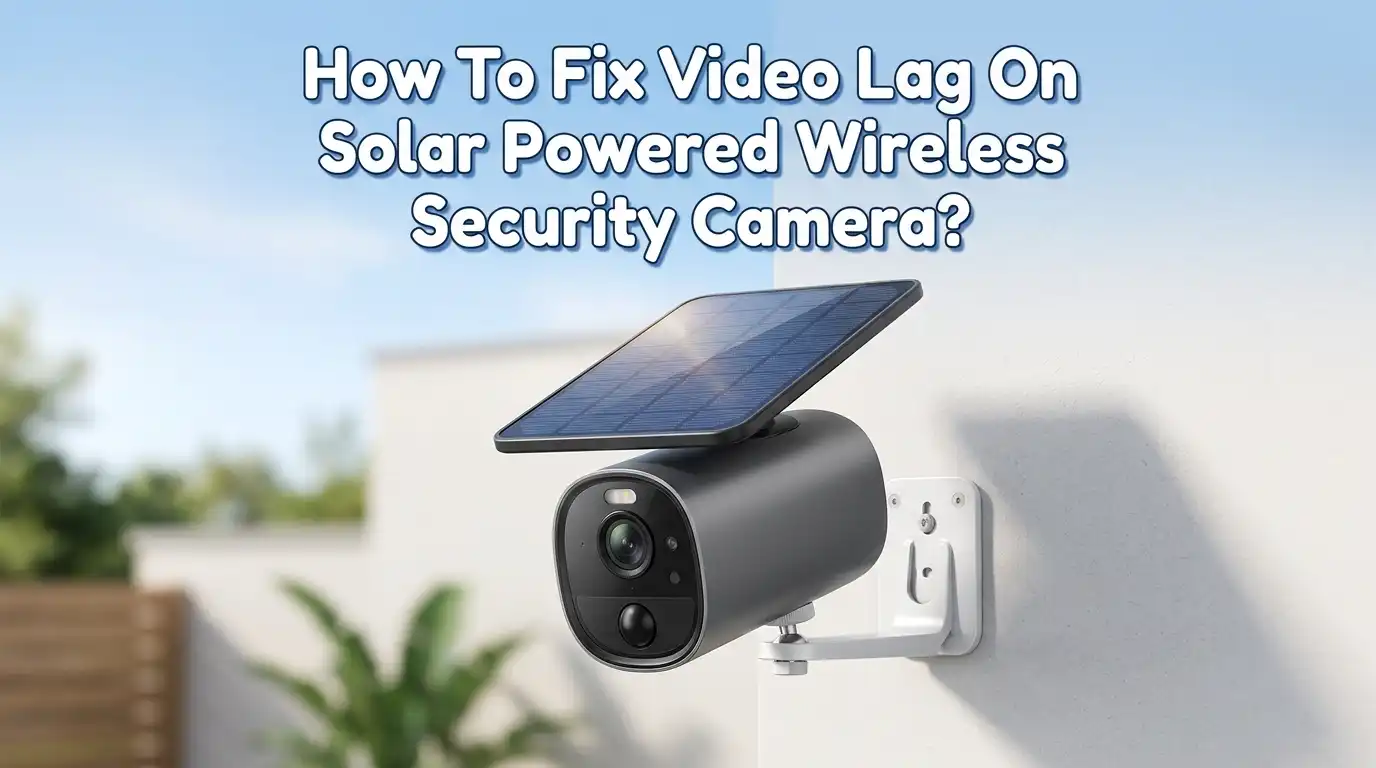
How To Fix Video Lag On Solar Powered Wireless Security Camera?
You set up your solar powered wireless security camera to protect your home. But now the live feed stutters, buffers, and freezes at the worst possible moments.
That delayed, choppy video defeats the entire purpose of having a security camera in the first place. You need real time footage, not a slideshow of what happened five seconds ago.
Video lag on solar powered cameras is a common problem, and it has real consequences. A lagging camera can miss a package thief, fail to capture a license plate, or send you a motion alert long after the person has already left.
Key Takeaways
- Weak Wi-Fi signal is the number one cause of video lag on wireless security cameras. If your camera is far from the router or separated by thick walls, the signal degrades and your video stream suffers. A Wi-Fi extender or mesh network node placed closer to the camera often solves this instantly.
- Low battery levels caused by poor solar charging force the camera into power saving mode, which reduces frame rates and video quality. Make sure your solar panel faces direct sunlight, stays clean, and tilts at the correct angle for your location.
- High resolution and bitrate settings overwhelm your network bandwidth. Dropping from 4K to 1080p or reducing the frame rate from 30 FPS to 15 FPS can eliminate buffering without a noticeable loss in useful security footage.
- Outdated firmware introduces bugs and performance issues that manufacturers fix in later updates. Check your camera app for firmware updates at least once a month and install them promptly.
- Network congestion from other devices streaming video, gaming, or downloading large files steals bandwidth from your camera. QoS (Quality of Service) settings on your router can prioritize camera traffic over other devices.
- Electromagnetic interference from nearby electronics such as microwaves, cordless phones, and baby monitors can disrupt your camera’s wireless signal. Switching your camera to a less crowded Wi-Fi channel reduces this interference significantly.
Understanding Why Solar Powered Cameras Lag More Than Wired Ones
Solar powered wireless security cameras face a unique set of challenges that wired cameras simply do not. They rely entirely on battery power replenished by a solar panel, and they transmit all video data over Wi-Fi instead of a physical cable. Both of these factors introduce potential bottlenecks.
A wired PoE (Power over Ethernet) camera receives constant power and sends data through a dedicated cable with consistent bandwidth. A solar camera, on the other hand, must manage its energy budget carefully.
When the battery drops below a certain level, many cameras automatically reduce video quality or lower the frame rate to conserve power. This creates visible lag and choppy footage.
The wireless connection adds another layer of risk. Wi-Fi signals weaken over distance and through obstacles like brick walls, metal siding, and glass.
Environmental factors like rain and extreme heat also affect both the solar panel’s charging efficiency and the camera’s wireless performance. Understanding these limitations helps you target the right fix instead of guessing.
Check Your Wi-Fi Signal Strength First
The fastest way to diagnose video lag is to check the Wi-Fi signal strength at your camera’s location. Most camera apps display signal strength in the device settings or health page.
Look for a reading called RSSI (Received Signal Strength Indicator). A value stronger than negative 50 dBm is excellent. Anything weaker than negative 65 dBm will likely cause buffering and lag.
Walk to where your camera is mounted and run a speed test on your phone while connected to the same Wi-Fi network. If download speeds drop below 5 Mbps or upload speeds fall below 2 Mbps at that spot, your camera does not have enough bandwidth to stream video smoothly.
Pros of checking signal strength first: It costs nothing, takes two minutes, and immediately tells you if the network is the problem. Cons: It only identifies the issue but does not fix it. You will still need to improve the signal using one of the methods below.
Move Your Router or Add a Wi-Fi Extender
Once you confirm a weak signal, you have two practical options. You can move your router closer to the camera, or you can add a Wi-Fi extender or mesh network node to bridge the gap. Moving the router works well if the camera is the farthest device from your network hub.
A Wi-Fi extender picks up your existing signal and rebroadcasts it closer to the camera. A mesh network system is even better because it creates a seamless network without the signal drops that basic extenders sometimes cause. Place the extender or mesh node roughly halfway between your router and the camera for the best results.
Keep your camera on the 2.4 GHz band rather than 5 GHz. The 2.4 GHz frequency travels farther and penetrates walls better, which matters for outdoor cameras. The 5 GHz band is faster but loses signal strength quickly over distance.
Pros: A mesh node or extender can dramatically improve signal strength and eliminate lag. Cons: It adds another device to your network and requires a power outlet nearby, which may be difficult for remote outdoor locations.
Optimize Your Solar Panel Placement for Maximum Charging
A poorly positioned solar panel cannot keep up with your camera’s power demands. When the battery runs low, the camera reduces its performance to survive longer on limited power. This means lower frame rates, reduced resolution, and noticeable video lag.
Point your solar panel directly at the sun’s path. In the Northern Hemisphere, this usually means facing it south. Tilt the panel at an angle roughly equal to your latitude for the best year round exposure. A flat mounted panel receives less sunlight during winter months when the sun sits lower in the sky.
Keep the panel clean and free of dust, bird droppings, leaves, and snow. Even a thin layer of grime can reduce charging efficiency by 20% or more. Wipe the panel with a soft cloth and water every few weeks.
Pros: Proper panel placement costs nothing extra and can significantly increase charging output. Cons: Some mounting locations limit your ability to angle the panel correctly, and trees or buildings may cast shadows during parts of the day.
Reduce Video Resolution and Bitrate Settings
Your solar camera probably defaults to the highest resolution it supports. While 2K or 4K footage looks impressive, it demands far more bandwidth and processing power than most home Wi-Fi networks can reliably deliver. Dropping the resolution to 1080p still gives you clear, usable security footage while cutting the data load roughly in half.
Open your camera’s app and find the video settings or stream settings menu. Lower the resolution to 1080p (Full HD). Then reduce the bitrate to around 1024 to 2048 Kbps for 1080p footage. Also consider dropping the frame rate from 30 FPS to 15 FPS. Security footage at 15 FPS is perfectly adequate for identifying people and vehicles.
If your camera supports H.265 compression, switch from H.264 to H.265. This newer codec delivers the same image quality at roughly half the bitrate, which frees up bandwidth and reduces lag.
Pros: This fix is free, takes five minutes, and often eliminates lag entirely. Cons: You sacrifice some image detail, and very fast motion may appear slightly less fluid at lower frame rates.
Update Your Camera Firmware and App
Camera manufacturers regularly release firmware updates that fix bugs, improve Wi-Fi connectivity, and optimize power management. Running outdated firmware is one of the most overlooked causes of video lag. A single bug in the video encoding process can cause constant stuttering that no amount of network tweaking will fix.
Open your camera’s companion app and navigate to the device settings. Look for a firmware update option. If an update is available, install it while the camera’s battery is above 50% to avoid interruptions. Also update the mobile app itself, because older app versions sometimes struggle to decode newer video streams efficiently.
Restart your camera after every firmware update. This clears temporary files and ensures the new code loads properly. A simple power cycle fixes many mysterious lag issues that accumulate over time from memory leaks and stale connections.
Pros: Firmware updates are free and can fix problems you did not even know existed. Cons: Occasionally, a new firmware version introduces new bugs, though this is uncommon with stable releases.
Reduce Network Congestion on Your Home Wi-Fi
Your security camera shares bandwidth with every other device on your home network. When family members stream movies, play online games, or download large files, your camera’s video feed suffers. This is especially true during evenings when network usage peaks.
Log into your router’s admin panel and enable QoS (Quality of Service) settings. QoS lets you assign priority levels to different devices. Set your security camera and its associated app as high priority. This tells the router to allocate bandwidth to the camera first before serving other devices.
Another effective step is to separate your devices across frequency bands. Put smart TVs, laptops, and gaming consoles on the 5 GHz band. Keep your security cameras and other IoT devices on the 2.4 GHz band. This reduces competition on the frequency your camera uses.
Pros: QoS settings are built into most modern routers and cost nothing to enable. Cons: Setting up QoS requires access to your router’s admin panel, which some users find confusing.
Minimize Electromagnetic Interference
Wireless security cameras operate on radio frequencies that can be disrupted by other electronic devices. Microwaves, cordless phones, baby monitors, Bluetooth speakers, and even neighboring Wi-Fi networks can create interference that slows your camera’s data transmission.
Check if your camera’s lag gets worse at specific times. If it does, try to identify what electronic device turns on at those moments. Move the interfering device away from the camera’s signal path, or switch your router to a less congested Wi-Fi channel. Most routers auto select a channel, but manual selection often works better.
Use a free Wi-Fi analyzer app on your phone to see which channels are crowded in your area. Choose a channel with the least overlap from neighboring networks. Channels 1, 6, and 11 are the standard non overlapping options on 2.4 GHz.
Pros: Changing your Wi-Fi channel is free and takes less than a minute. Cons: In dense apartment buildings or neighborhoods, all channels may be somewhat congested, limiting the improvement.
Manage Camera Storage to Prevent Slowdowns
Many solar cameras record footage to a local microSD card or cloud storage. A full or corrupted storage card can cause the camera to freeze, lag, or stop recording entirely. The camera struggles to write new data when there is no space left, and this processing delay affects live streaming performance too.
Check your camera’s storage status in the app. If the microSD card is nearly full, enable loop recording so the camera automatically overwrites the oldest footage. Format the card every few months to prevent file system corruption that builds up over time.
If you use cloud storage, make sure your subscription is active and that your upload speed supports continuous recording. A camera trying and failing to upload footage to the cloud repeatedly will bog down and cause visible lag in your live feed.
Pros: Managing storage prevents a common but often ignored cause of lag. Cons: Loop recording means you lose older footage, so download important clips before they get overwritten.
Adjust Motion Detection Sensitivity
Solar powered cameras use motion detection to wake from sleep mode and start recording. If the sensitivity is set too high, the camera constantly activates for irrelevant movement like swaying branches, passing cars, or shadows. This drains the battery faster and creates a backlog of alerts that slow down the system.
Lower the motion sensitivity to a medium level in your camera’s settings. Then set up detection zones that focus only on the areas you care about, such as your front door, driveway, or gate. Exclude busy streets or areas with lots of vegetation movement.
This reduces unnecessary wake ups, which saves battery power and keeps the camera responsive for actual security events. A camera that wakes up less often for false triggers has more power available to deliver smooth, lag free video when it matters.
Pros: Fine tuning motion detection extends battery life and reduces processing load. Cons: Setting the sensitivity too low may cause the camera to miss legitimate events, so test your settings carefully.
Perform a Factory Reset as a Last Resort
If you have tried every other fix and your camera still lags, a factory reset can clear deep software issues that regular reboots cannot fix. Corrupted settings, failed update remnants, and memory errors sometimes accumulate to a point where only a clean slate solves the problem.
Before resetting, write down your current settings including Wi-Fi network name, password, detection zones, recording schedules, and alert preferences. Then find the reset option in your camera app or press the physical reset button on the camera itself. Hold it for 10 to 15 seconds until the indicator light blinks.
After the reset, set up the camera from scratch using the manufacturer’s setup guide. Reconnect it to Wi-Fi, adjust your resolution and bitrate to the optimized levels discussed earlier, and update the firmware immediately.
Pros: A factory reset eliminates accumulated software problems that nothing else can fix. Cons: You lose all custom settings and must reconfigure everything from the beginning, which takes time and effort.
When to Consider Replacing Your Camera
Sometimes the hardware itself is the bottleneck. Older solar cameras with outdated processors, small batteries, and low efficiency solar panels simply cannot deliver the performance that modern security needs demand. If your camera is more than three or four years old and still lags after every fix, it may be time for an upgrade.
Look for a newer model with a larger battery capacity, a more efficient solar panel, better Wi-Fi antenna, and support for H.265 encoding. Cameras with dual band Wi-Fi and stronger processors handle high resolution video much more smoothly.
Also consider whether your camera’s placement truly requires solar power. If you can run a cable to the location, a wired PoE camera will always deliver more reliable and lag free video than any wireless option. Sometimes the best fix is choosing the right tool for the job.
Pros: New cameras offer significantly better performance, longer battery life, and stronger wireless connections. Cons: Replacing a camera costs money and requires a new installation process.
Frequently Asked Questions
Why does my solar security camera lag at night but not during the day?
At night, your camera switches to infrared or night vision mode, which requires extra processing power. If the battery is low from insufficient daytime charging, the camera may not have enough power to run night vision smoothly. Make sure your solar panel charges the battery fully during the day. Also check if your camera’s night vision resolution is set too high.
Can weather affect video lag on a solar powered camera?
Yes. Heavy rain, thick clouds, and snow reduce the amount of sunlight reaching your solar panel. This lowers the charging rate and can leave the battery underpowered. Extreme cold also reduces battery efficiency. During prolonged bad weather, consider manually charging your camera’s battery through its USB port to keep it operational.
How many Mbps of internet speed do I need for a wireless security camera?
For a single 1080p camera, you need at least 2 to 4 Mbps of upload speed. A 2K camera requires 4 to 8 Mbps. If you run multiple cameras, multiply those numbers by the number of cameras streaming at the same time. Always test your upload speed, not just download speed, since cameras send data upstream.
Does the distance between my solar camera and Wi-Fi router cause lag?
Absolutely. Wi-Fi signal weakens with distance and through physical obstacles like walls, trees, and metal structures. If your camera is more than 30 to 50 feet from the router with walls in between, the signal may be too weak for smooth video. A Wi-Fi extender or mesh node placed between the router and camera solves this in most cases.
Should I use cloud storage or a microSD card to reduce lag?
Both options work, but each has tradeoffs. Cloud storage requires constant uploading, which uses bandwidth and can cause lag if your upload speed is slow. A microSD card stores footage locally without using any internet bandwidth for recording, which can reduce lag during live viewing. Many users find a combination of both works best.
How often should I clean my solar panel to prevent lag?
Clean your solar panel at least once a month, or more often if you live in a dusty area or near trees that drop pollen and sap. A dirty panel produces less power, which leads to a low battery, which triggers power saving mode, which causes video lag. A quick wipe with a damp cloth keeps the panel working at full capacity.

Hi, I’m Frankie Shaw, the founder and writer behind Swittchly 👋. I’m a passionate tech enthusiast who loves exploring the latest gadgets, devices, and electronics that hit the market. Through my honest, research-backed Amazon product reviews, I help readers make smarter buying decisions without the hype or confusion.