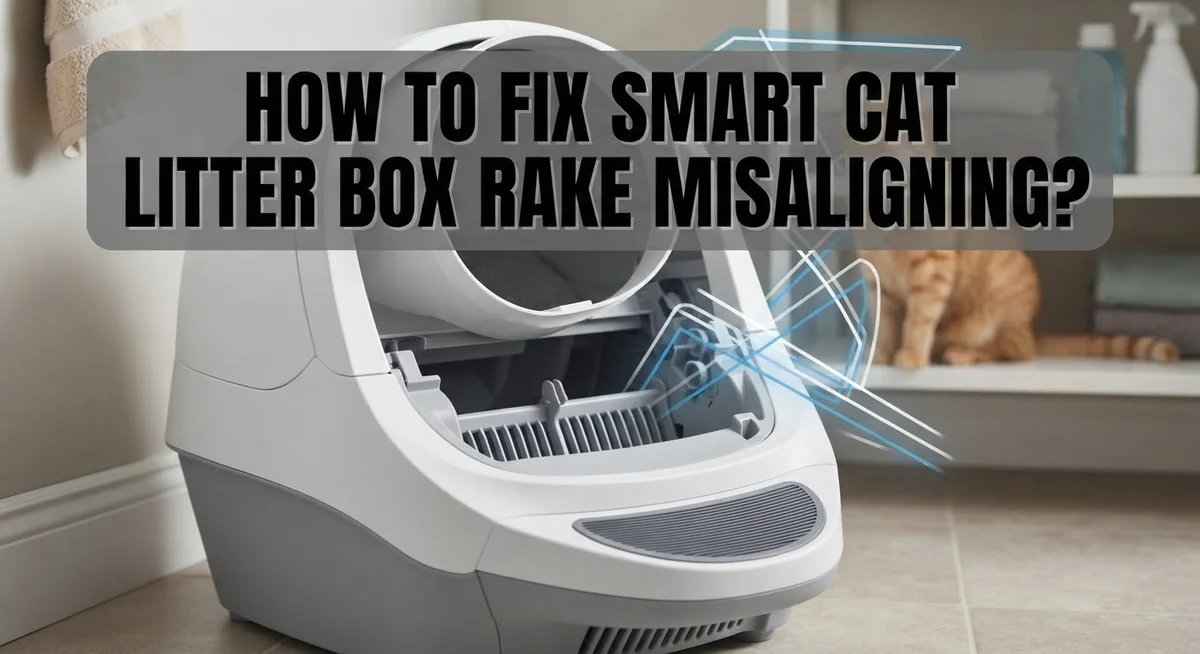
How To Fix Smart Cat Litter Box Rake Misaligning?
Your smart cat litter box makes life easier. But when the rake stops moving right, it can feel like a big problem.
A misaligned rake often triggers annoying error codes. It might get stuck in the down position or refuse to return home.
This issue is common in many models, including ELS Pet, PetSafe ScoopFree, and Tuya smart boxes. The good news? You can usually fix it yourself in minutes.
Most misalignment problems come from simple causes. Litter debris can jam the rake path. Your box might not sit level on the floor. Sometimes the waste drawer fills up and blocks the rake entirely.
In a Nutshell
- Power cycle first. Unplug your box for 30 seconds to 10 minutes. This simple step fixes many rake errors right away.
- Check for stuck litter. Litter debris around the rake or sides often blocks smooth movement. Shake the box gently side to side to loosen it.
- Reset the system. For ELS Pet models, hold the third button from the left for 10 seconds. This helps the rake find its home position again.
- Level your box. An unstable or tilted box confuses the rake sensors. Adjust the feet so your box sits flat on the floor.
- Inspect the waste drawer. An overflowing drawer can block the rake path completely. Remove it and check for any blockages.
- Test after every step. Always press the manual rake button after each fix. This confirms if the problem is solved before you move forward.
Understanding Why Your Smart Litter Box Rake Misaligns
Your smart litter box rake misaligns for specific reasons. Understanding these causes helps you fix the problem faster and prevents future issues.
Litter debris is the most common culprit. Small pieces of litter get stuck around the rake edges or along the box sides. This debris blocks the rake from moving smoothly to its home position. Over time, the motor strains as it tries to push through the obstruction. The system detects this resistance and triggers an error code.
An unleveled or unstable box confuses the sensors. If your litter box sits on an uneven floor or wobbly surface, the rake cannot align properly. The sensors expect the rake to sit at a specific height and angle. When the box tilts, these measurements change, and the rake gets stuck mid cycle.
Waste drawer overflow creates a physical blockage. When the waste drawer fills up completely, it can shift slightly or bulge upward. This blocks the rake’s path, preventing it from sliding back into position. Your box cannot complete its cleaning cycle.
Sensor contamination disrupts communication. Dust or litter particles on the sensor window prevent accurate readings. The system loses track of where the rake actually sits. Without clear sensor data, the motor cannot correct misalignment automatically.
Motor strain from repeated forcing causes lasting damage. Continuing to run your box with a stuck rake wears out internal components. The motor overheats and loses power. Once this happens, even simple fixes may not restore full function.
Each of these causes has a straightforward solution. Identifying which one affects your box is the first step toward getting your rake working again.
Step-by-Step Fix: Power Cycling and Resetting Your Litter Box
Power cycling is your first and most important step. Unplug your smart litter box completely from the electrical outlet. Wait between 30 seconds and 10 minutes. This pause lets the system clear its memory and reset internal circuits.
After waiting, plug the box back in. Listen for any beeping sounds or motor activity. The box should restart and attempt to move the rake to its home position. Watch carefully to see if the rake moves smoothly this time.
If power cycling doesn’t work, try a manual reset. Most smart litter boxes have a reset button. For many models, you hold the third button from the left for about 10 seconds. Check your user manual for the exact button location on your specific model. The box may beep or flash lights to confirm the reset worked.
Once you reset, press the manual rake button to test movement. The rake should glide back and forth without stopping or grinding sounds. If it still sticks, move to the next troubleshooting step.
Never skip the power cycle step. Many users jump straight to other fixes and miss this simple solution. Power cycling fixes temporary software glitches that cause rake misalignment.
After resetting, clean the area around the rake gently. Remove any visible litter pieces with your fingers or a small brush. Wipe the sensor window with a dry cloth. These quick cleaning steps often prevent the problem from returning.
Test the manual rake button again. If the rake moves smoothly now, your litter box is ready to use. If problems continue, the issue likely involves physical blockages or leveling problems that need different solutions.
Checking and Clearing Litter Debris Around the Rake
Litter debris around your rake is one of the biggest reasons your smart litter box stops working properly. Small pieces of litter get trapped in tight spaces and prevent the rake from moving freely. You need to remove this debris carefully to restore normal function.
Start by unplugging your litter box completely. This keeps you safe while you work inside. Use a flashlight to look closely at the rake area and the sides of the box. You’ll spot dried litter clumps, dust, or stuck particles that block movement.
Gently shake the entire box side to side. This helps dislodge loose litter that clings to the rake edges. Be careful not to damage internal parts while shaking. You can also tilt the box slightly to let debris fall away from the rake mechanism.
Use a soft brush or cloth to wipe around the rake carefully. Never use sharp tools that might scratch or puncture the rake or sensors. Remove any visible litter buildup from the corners and crevices where the rake moves.
Pay special attention to the waste drawer area. Sometimes litter particles fall underneath and block the rake path. Pull out the waste drawer and check behind it for stuck debris. Clean this space thoroughly before putting the drawer back in.
After clearing all debris, plug the box back in and test the manual rake button. The rake should move smoothly without grinding sounds or resistance. If it still sticks, you may have missed debris in another spot. Repeat the cleaning process and check again. Keeping the rake area clean prevents most misalignment problems from happening in the first place.
Leveling and Stabilizing the Litter Box for Proper Rake Movement
Your smart litter box needs a level, stable surface to function properly. An uneven foundation causes the rake to misalign and triggers sensor errors.
Start by checking if your litter box sits flat on the floor. Place a small level on top of the box to verify it’s even. If the floor is uneven, you have two options: adjust the box feet or move the box to a flatter location.
Most smart litter boxes have adjustable feet on the bottom. Rotate these feet clockwise or counterclockwise to raise or lower each corner. Make small adjustments and recheck with your level after each turn. The goal is to get the box completely level in all directions.
If your floor is too uneven to level the box properly, consider placing a thin rubber mat underneath. This mat creates a stable platform and prevents the box from shifting during rake cycles.
Test the rake movement after leveling. Press the manual rake button and watch it move smoothly through the litter. If it still sticks or misaligns, the leveling fixed part of the problem but other issues remain.
Stability matters as much as levelness. Make sure the box doesn’t wobble when you gently push it side to side. A wobbly box confuses the sensors and causes false error codes. Push the box against a wall if it rocks, or add rubber feet pads for extra grip.
Check the leveling weekly. Floors settle over time and boxes can shift slightly. A quick level check prevents rake misalignment problems from returning. Keep your box on a hard, flat surface away from water or moisture that could warp the base.
Inspecting the Waste Drawer and Sensor Area for Blockages
The waste drawer and sensor area are critical spots where blockages stop your rake from working. When litter builds up in these zones, your smart box can’t function properly.
Start by unplugging your litter box completely. This keeps you safe while you inspect. Remove the waste drawer by pulling it straight out from the bottom of your unit. Look inside for clumps, debris, or litter that shouldn’t be there. Pay close attention to the corners and edges where litter compacts easily.
Check the drawer’s seal and hinges too. Sometimes litter particles get stuck in these spots and prevent the drawer from closing fully. When the drawer doesn’t close all the way, it blocks the rake’s path and triggers misalignment errors.
Next, inspect the sensor window and surrounding area. The sensor tells your litter box when to rake and when to stop. Dust or litter on the sensor creates false readings. Use a soft, dry cloth to gently wipe the sensor window. Avoid pressing hard or using wet cloths, as moisture damages sensors.
Look at the space where the rake moves up and down. Shine a flashlight into this area to spot any hidden blockages. Remove any debris you find using a soft brush or cloth.
Check if the waste drawer sits properly when you slide it back in. It should fit snugly without gaps. A drawer that doesn’t seat correctly prevents your box from sensing when it’s full.
After clearing everything, plug your box back in and test the manual rake button. The rake should move smoothly without resistance.
Model-Specific Fixes: ELS Pet, PetSafe ScoopFree, and Tuya Smart Boxes
Smart cat litter boxes from ELS Pet, PetSafe ScoopFree, and Tuya brands can develop rake misalignment issues. Each model responds well to specific troubleshooting steps that fix most problems quickly.
Start with a complete power cycle. Unplug your litter box for 30 seconds to 10 minutes, then plug it back in. This simple step resolves many alignment errors because it resets the motor’s memory and position sensors.
For ELS Pet models, locate the third button from the left on your control panel. Hold this button for 10 seconds until you hear a beep or see a light flash. This performs a full system reset that recalibrates the rake’s home position.
After resetting, press your manual rake button to test movement. The rake should move smoothly down and return to its starting position without grinding sounds or hesitation.
PetSafe ScoopFree boxes often need a slightly different approach. Check your user manual for the specific reset button location, as button placement varies by model year. Some versions use a recessed reset button you’ll need a small tool to access.
Tuya smart boxes connect to your phone app. Open the app and look for a “Reset” or “Recalibrate” option in your device settings. This remote reset can fix alignment issues without touching the physical box.
After any reset, watch your litter box complete one full cycle. Listen for normal motor sounds. The rake should move smoothly without stuttering or stopping midway.
If your rake still misaligns after these model specific resets, the issue likely involves physical blockages or leveling problems that need attention before the box can function properly again.
Mistakes That Make Rake Misalignment Worse
Continuing to run your smart litter box with a stuck rake causes serious motor damage. The motor works harder than normal when the rake cannot move freely. This extra strain burns out internal parts faster. Stop using the box immediately if you hear grinding sounds or notice the rake stuck in one position.
Skipping the power cycle is another major mistake. Many users jump straight to taking the box apart or calling support. A simple 30 second to 10 minute power cycle fixes most misalignment problems. Unplugging lets the system reset without losing your settings. This step takes almost no time but solves many issues.
Ignoring leveling and stability problems makes misalignment worse. Your rake needs a perfectly flat surface to return to its home position. If the box tilts or wobbles, the rake cannot align properly. Even a slight tilt prevents the rake from settling correctly. Always check that your floor is level before trying other fixes.
Overlooking litter debris around the rake path is a costly error. Small pieces of litter stick between the rake and the box walls. This debris blocks movement and triggers error codes. Shake the box side to side gently to dislodge stuck litter before resetting.
Neglecting the waste drawer overflow is another common mistake. A full drawer blocks the rake from moving down completely. The rake touches the drawer and stops. Check your drawer daily and empty it before it reaches the top.
Finally, avoid wiping the sensor area with wet cloths. Moisture damages the sensor and causes false errors. Use a dry, soft cloth instead. These simple mistakes prevent most misalignment problems from getting worse.
When to Try Advanced Troubleshooting
Advanced troubleshooting helps fix rake misalignment when basic steps don’t work. You should try these methods only after power cycling and checking for obvious blockages.
Start by testing your box on a different surface. Sometimes the floor itself causes leveling problems. Move your litter box to a flat tile or hardwood area for 24 hours. Watch if the rake moves smoothly during this test. If it does, your original floor spot may be uneven.
Next, inspect the motor area carefully. Unplug your box and look inside where the rake connects to the motor. Debris can wrap around the shaft and prevent proper movement. Use a dry cloth to gently wipe this connection point. Never use water or liquid cleaners here.
Check if the waste drawer seal is damaged or cracked. A broken seal allows litter dust to escape into motor components. This dust settles on gears and causes misalignment errors. Replace the drawer seal if you see cracks or gaps.
Listen to your motor sounds. A grinding or clicking noise during the rake cycle means something blocks the path. Unplug immediately and remove the waste drawer completely. Look for compressed litter or foreign objects inside the box.
Test your manual rake button repeatedly after each fix. This tells you if movement improves. If the rake still misaligns after these steps, the motor itself may need service.
Do not ignore persistent grinding sounds. Continuing operation damages internal gears beyond repair. Advanced troubleshooting takes patience, but it prevents costly motor replacement later.
Final Thoughts
Fixing a misaligned rake does not need to be hard. Most problems come from simple things like stuck litter, an uneven surface, or a full waste drawer.
Start simple every time. Power cycle your box first. This step alone fixes many rake problems without any extra work.
Check your box for litter buildup around the rake path. Small clumps often cause big alignment issues that seem confusing at first.
Make sure your box sits flat on the floor. A tiny tilt can throw off the whole rake cycle and confuse the sensor.
Look at your waste drawer often. An overflowing drawer blocks the rake and forces it out of its home position.
If basic fixes do not work, move to advanced steps. Test your box on a new surface and inspect the motor area closely.
Grinding or clicking sounds mean something blocks the rake. Do not ignore these noises, since they signal real motor strain.
Model specific resets matter too. ELS Pet, PetSafe ScoopFree, and Tuya boxes each have their own quirks. Learn your model’s reset steps well.
Patience helps more than force here. Never push a stuck rake by hand, since this can damage the motor further.
Test your manual rake button after every single fix. This tells you right away if the problem is solved or still there.
Most rake misalignment issues clear up within a few simple steps. Regular cleaning and level placement prevent most future problems too.
Your smart litter box works best when you catch small issues early. A quick check each week keeps your rake aligned and your box running smoothly for a long time.
Frequently Asked Questions
Why does my smart litter box rake get stuck in the down position?
Litter debris builds up around the rake and sides of the box. The waste drawer can also overflow and block the rake path. When your box sits on an uneven floor, the rake cannot return to its home position properly.
Check for blockages first. Remove the waste drawer and inspect it for clumps. Shake the box gently side to side to dislodge stuck litter. Make sure your box sits flat on all four feet.
What should I do if the rake touches litter and triggers an error code?
Your sensor detects litter where it should not be. This happens when the rake misaligns or when debris covers the sensor window. Start with a power cycle. Unplug your box for 30 seconds to 10 minutes, then plug it back in.
After power cycling, wipe the sensor area with a dry cloth. Press your manual rake button to test if it moves freely. If the error persists, check that your box is level and stable on the floor.
Can I fix rake misalignment without taking my box apart?
Yes, most fixes work without disassembly. Power cycling solves many issues. Hold the third button from the left for 10 seconds to reset your device. This works well for ELS Pet and similar models.
Next, clean around the rake path and remove any litter buildup. Adjust the box feet so it sits perfectly flat. Test the manual rake button after each step. These simple actions fix most misalignment problems.
What causes the rake to strain or make grinding sounds?
Motor strain happens when something blocks the rake path. Litter clumps, debris, or an overflowing waste drawer create resistance. Do not ignore grinding or clicking sounds. These noises mean your motor works too hard and can fail.
Stop using your box immediately. Clean the rake area thoroughly and empty the waste drawer completely. Check that nothing blocks the motor connection point where the rake attaches.

Hi, I’m Frankie Shaw, the founder and writer behind Swittchly 👋. I’m a passionate tech enthusiast who loves exploring the latest gadgets, devices, and electronics that hit the market. Through my honest, research-backed Amazon product reviews, I help readers make smarter buying decisions without the hype or confusion.